
An easy way to run a targeted ad campaign on FB:
- 1. Extract user IDs from your theme groups and/or your friends list.
- 2. With FB Ads Manager you can create a Custom Audience and load a list of FB user IDs into it.
- 3. Use targeting on the created Custom Audience.
In addition, you can use users’ email addresses and phone numbers as Custom Audience IDs.
After the latest updates in the Graph API, the capabilities of FB parsing programs have decreased significantly. However, in LetsExtract Email Studio this feature still works.
For your safety we recommend not to use your main FB account in LetsExtract. Also, if you get the 101 Invalid Application ID error or 400 error when logging into your account, it means that FB API is not available in your country. Create a new account, and specify that you are located in the USA.
Unlike similar online services, LetsExtract has no limits on the number of IDs that can be found and besides there are no extra charges.
Extract FB group member IDs:
- 1. Launch LetsExtract Email Studio, switch to FB Extractor mode, and log into your FB account in the built-in browser.
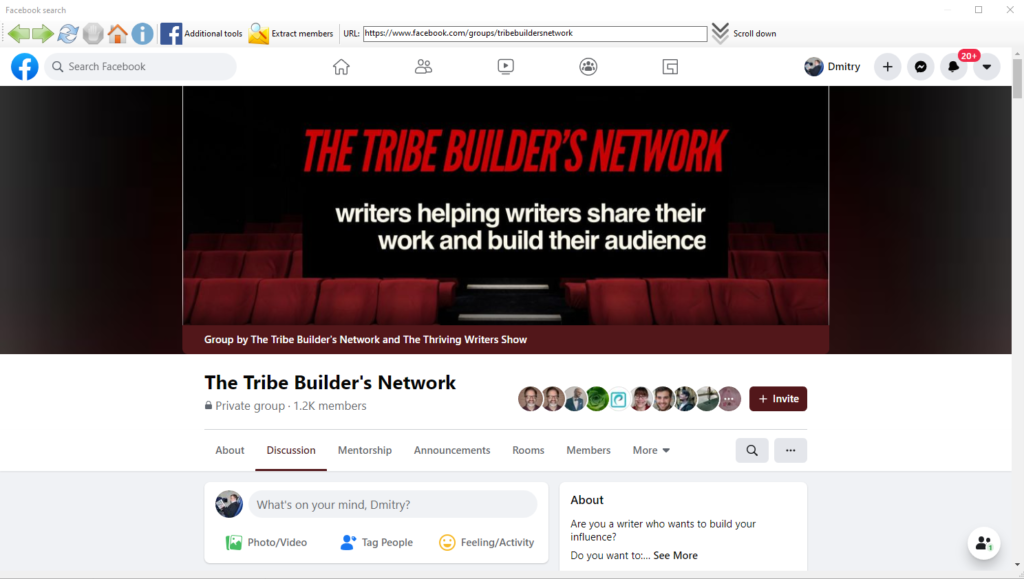
2. Go to the group you’re interested in, then go to the “Members tab” and click “Scroll Down” to download all the group members. Wait for a while while the page scrolls down. To stop scrolling, click “Stop”.

3. After that, click the “Extract Members” button. Make sure the “Only with Email” and “Only with Phone” checkboxes are not selected.
4. After LetsExtract completes the search, the “Results tab” will give you a list of uIDs:
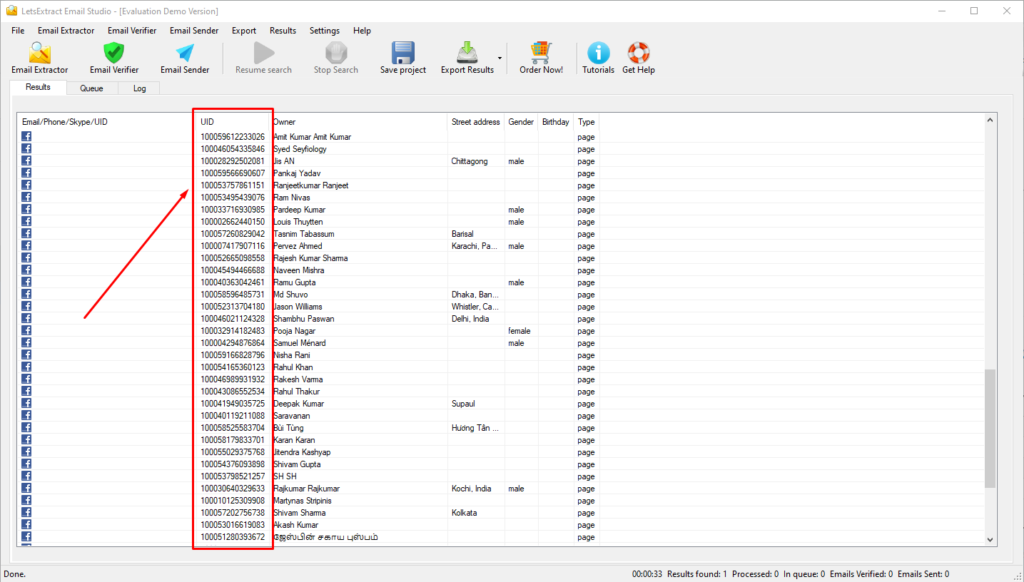
5. Next, you can export the results to CSV or Excel to later import them into FB Ads Manager.
Extract your friends’ FB IDs:
It is performed similarly to extracting group members, except the 2nd step – instead of going to the group page, go to the “Friends section” of your FB account.