
You can begin by exploring the “Documentation” section, which provides detailed instructions on setting up and using the software. This information helps address 90% of questions. Please review it carefully.
FAQ
- I can’t login to the program. It says my account does not exist. I purchased the software before 2025.
That means your account does not exist. Find the license key for Version 6 and follow these instructions: https://letsextract.com/upgrading-from-version-6-to-version-7/
- I just purchased a license but it was NOT delivered.
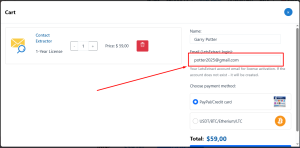
All licenses are AUTOMATICALLY activated to the email address you provided at checkout:
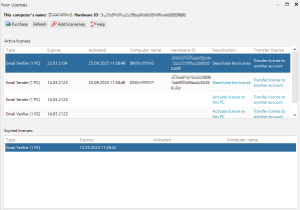
- If you entered the correct email address and your account EXISTED before the purchase, simply restart LetsExtract and open the Your Licenses window to see your purchase:
- If your account did not exist before the purchase, it will be created automatically. We have sent you an email with your NEW USERNAME and PASSWORD — please check your Spam/Junk/Promotions folder:
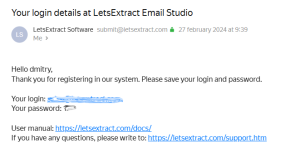
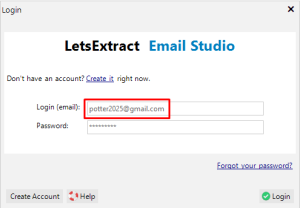
Use that username and password to sign in to the program.
- I need to reset the key/deactivate a computer; move to another account; my license is no longer working.
We do not perform resets, transfers, or any other license changes. Please follow these instructions: https://letsextract.com/how-to-reset-the-letsextract-key-move-license-to-another-computer/
- How long are licenses valid, how much do they cost, and how is activation handled?
Please review this page carefully (scroll down to see the text and links): https://letsextract.com/pricing/
If you still have a question, you can ask it here.
[guest-support view=form id=1]