
You do not need to make an additional payment to upgrade from version 6 to version 7. This upgrade is free of charge.
In LetsExtract 7 we have discontinued the registration (license) keys.
All licenses are now linked to a single account. You can install the program on several computers, use one account and assign licenses to computers in the ‘Your licenses’ window.
If you have not used LetsExract 7 before – you do not have an account. You will get a message that the ‘Account does not exist‘.
1. Download LetsExtract 7 from our website and install it.
2. Run it.
3. Create a new account with any login and password.
4. Open the ‘Your Licenses‘ window, add your key and activate it.
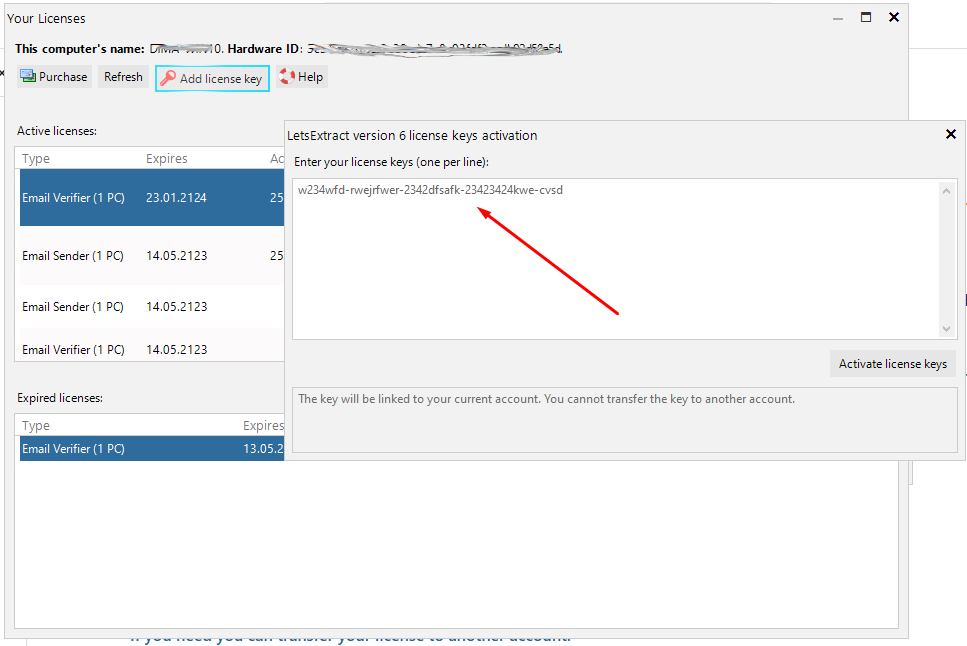
5. If you have multiple keys, add them as a list.
6. Restart the program.
If your key is already activated
If you’re trying to activate the software with a key for version 6 and you see this message:
“Key [XXX] – is already activated. Re-activation is not allowed.”
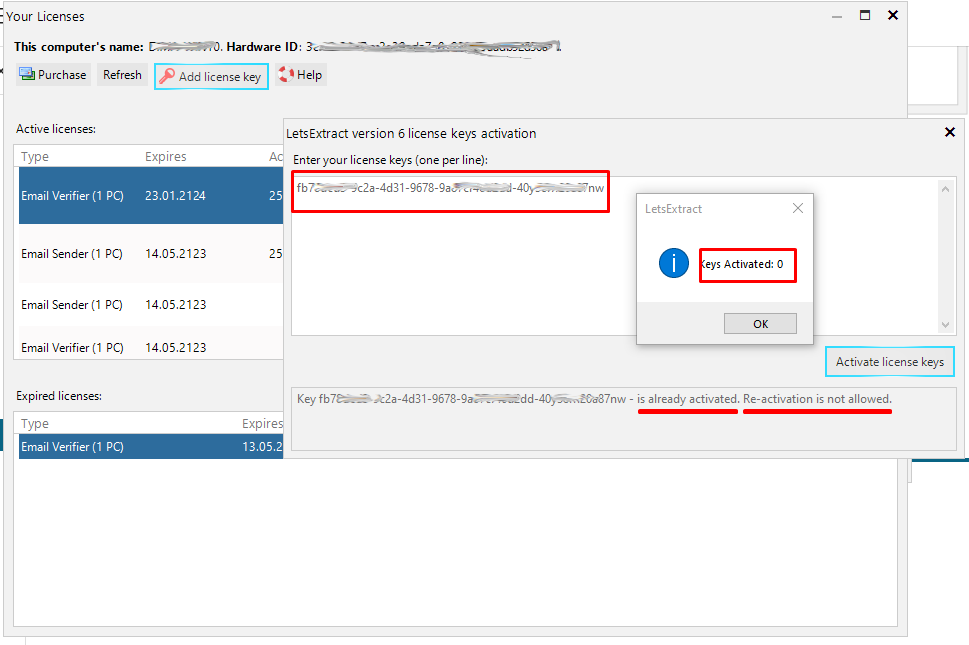
That means the key has already been activated. A key can only be activated once. Reactivation is not possible. You need to sign in to the account where you originally activated your key and use the license from that account. We do not reset, transfer, or restore keys in this case.
If you no longer have access to the account on which you previously activated this key, you will need to purchase a new license.