
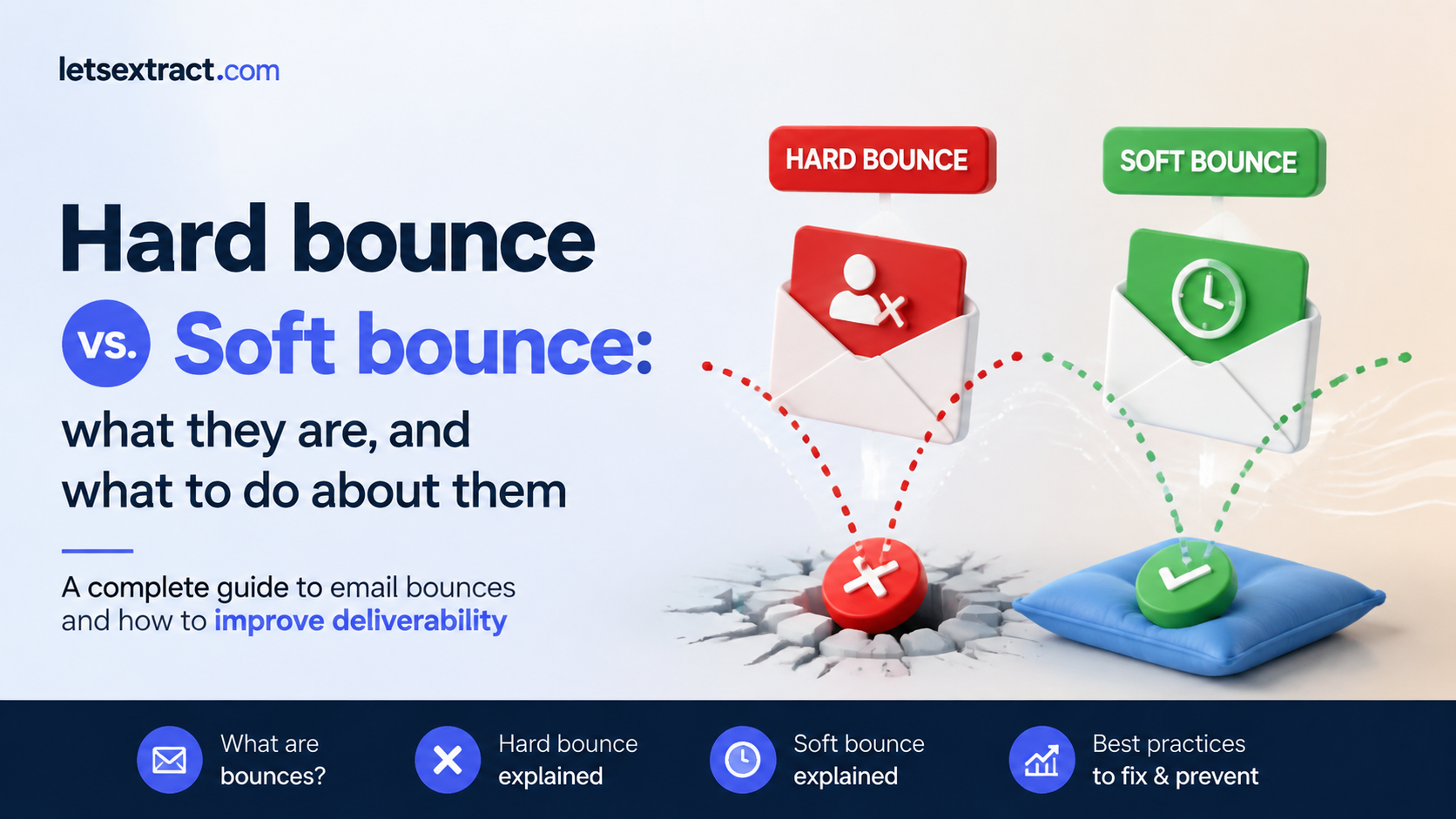

You send an email campaign to your contact list. A few minutes later, your inbox receives an automated message: delivery failed. In email marketing, this is called a bounce — and it occurs when the receiving mail server rejects your message and sends a failure notification back to you. The email never reached the recipient’s inbox.
Not all bounces work the same way. Some are permanent — the address is gone for good and no amount of resending will change that. Others are temporary — something went wrong in the moment, but the address itself is perfectly valid and the email might go through tomorrow.
The two types are called hard bounce and soft bounce. Here’s what each one actually means.
What is a hard bounce?
A hard bounce is a permanent delivery failure. The email cannot be delivered to that address, and the problem isn’t temporary congestion or a server hiccup. The address itself is the problem.
The most common reason: the address no longer exists. Someone left a company, and their corporate inbox was deleted or typed their email incorrectly when signing up. In all these cases, there’s no inbox to deliver to — and the receiving server says so immediately.
This happens constantly with B2B databases. A company builds a contact list over two or three years, collects emails at trade shows, through outbound research, through web forms. Then they run a campaign without first checking whether those addresses are still active. It’s not unusual to find that 10–15% of the list has gone cold — people changed jobs, companies rebranded, domains disappeared. Every one of those sends hard bounces.
One nuance worth knowing: occasionally, a valid, working address will trigger a hard bounce because the recipient’s mail server has unusually aggressive spam filters that reject incoming mail before even evaluating it. These false positives exist, but they’re the exception. If you suspect a specific address is valid despite bouncing, you can investigate it individually.
What is a soft bounce?
A soft bounce is a temporary delivery failure. Unlike a hard bounce, the address itself is valid — the receiving server recognized it — but something prevented delivery in that specific moment.
The causes: the recipient’s inbox is full and can’t accept new messages or company’s mail server was down for maintenance when your email arrived. Your email was too large — heavy images, embedded files — and exceeded the server’s size limit. None of these mean the address is bad.
Most email platforms handle this automatically. When a soft bounce occurs, the platform retries delivery several times over the next 24 to 72 hours. In many cases, the email gets through on a later attempt without you doing anything at all.
A single soft bounce on one campaign is nothing to worry about. But if the same address soft bounces across five, six, seven consecutive sends — never successfully receiving a single email — that’s a different situation. At that point the address is effectively unreachable, even if it technically exists.
Hard bounce vs. soft bounce: the key differences
| Hard Bounce | Soft Bounce | |
| What it means | Permanent delivery failure | Temporary delivery failure |
| Common cause | Address doesn’t exist, domain is invalid, server blocked delivery permanently | Inbox full, server temporarily down, email too large |
| Effect on sender reputation | High — every hard bounce is a direct negative signal | Lower, but accumulates if left unmanaged |
| What email platforms do | Stop sending to that address immediately | Retry delivery for 24–72 hours, then mark as failed |
| What you should do | Remove from your list right away | Monitor across several campaigns, suppress after repeated failures |
Usually email platforms will automatically convert a soft bounce into a hard bounce after a certain number of consecutive failures — typically somewhere between five and seven sends. If an address has failed to receive a single email across half a dozen attempts, the platform stops treating it as a temporary problem.
What to do about hard and soft bounces
— Hard bounces
Remove it from your active list without delay. But deletion alone isn’t enough: the smarter move is to add it to a suppression list — a record of addresses your platform will never send to, even if that same contact gets re-imported from a new spreadsheet or a freshly pulled lead list down the line. Without a suppression list, bad addresses have a way of reappearing.
The more useful question is how those addresses got there. Manual imports from trade shows, purchased lead databases, contacts added years ago without any validation — these are the usual sources. Every list that came in through a channel with no verification step is a candidate for a cleanup pass before the next send.
For large or aging databases, the most practical approach is to verify addresses before the campaign goes out rather than dealing with the fallout afterward. This is exactly what pre-send email verification tools are built for. LetsExtract Email Verifier, for example, lets you run a full list through a bulk validation check — it confirms whether addresses exist, whether the domain is active, and whether the mailbox can receive mail — before a single email leaves your account.
On the prevention side, double opt-in is the most reliable structural safeguard for new subscribers. When someone signs up, they receive a confirmation email and have to click a link to complete the process.
One more thing to check if hard bounce rates are elevated without an obvious list quality reason: your domain authentication setup. SPF, DKIM, and DMARC are technical configurations that tell receiving mail servers your emails are legitimate. If any of them are misconfigured, servers may reject your mail as a precaution — and that shows up as a hard bounce even when your list is perfectly clean.
— Soft bounces
Monitor soft-bounced addresses across three to five campaigns. If delivery succeeds on a later attempt, great — no action needed. If the same address keeps failing send after send with no resolution, treat it as inactive and suppress it. Five or more consecutive soft bounces with zero successful deliveries is a reasonable threshold to act on.
Before assuming the problem is on the recipient’s side, it’s worth checking your own setup. If a large portion of a single campaign soft bounces at the same time — say, 20% of sends fail simultaneously — that pattern usually points to something on your end. An email that’s too heavy, a content element triggering a spam filter, or an authentication issue that emerged between campaigns.
For repeat soft-bouncers that haven’t yet crossed the suppression threshold, a targeted re-engagement email can be worth attempting — a short, lightweight message with no heavy images and a clear reason to respond. If that doesn’t get through either, the address has told you everything you need to know.
FAQ
What is a good email bounce rate?
For hard bounces, a rate under 0.5% is healthy. Anything between 0.5% and 2% warrants attention and list cleanup. Above 2%, major mail providers start treating your domain as a low-quality sender, which affects deliverability across your entire list. For soft bounces, under 2% per campaign is generally acceptable. A persistent soft bounce rate above 3% across multiple campaigns is a signal to investigate your list quality or sending infrastructure.
Does a high bounce rate affect spam placement?
Yes, directly. Mail providers like Gmail and Outlook use bounce rate as one of the signals they evaluate when deciding where to deliver your emails. A high bounce rate — particularly from hard bounces — tells these providers that your list is poorly maintained. Over time, that damages your sender reputation, and more of your emails start landing in spam folders or getting blocked, including emails sent to contacts who have no delivery issues at all.
How do I reduce my email bounce rate?
The most effective steps are preventive rather than reactive. Use double opt-in for new subscribers to eliminate invalid addresses at sign-up. Verify imported or older lists before sending — pre-send verification tools check whether addresses exist and can receive mail before any campaign goes out. Remove hard-bounced addresses immediately and suppress repeat soft-bouncers. Make sure your domain authentication (SPF, DKIM, DMARC) is correctly configured, as misconfiguration alone can cause bounces on an otherwise clean list.
Can a soft bounce turn into a hard bounce?
Yes. Most email platforms will automatically reclassify a soft bounce as a hard bounce after a set number of consecutive delivery failures — typically between five and seven sends. The reasoning is practical: if an address has failed to receive a single email across multiple attempts over time, it’s no longer a temporary problem. At that point the platform suppresses it the same way it would a hard bounce.
What is an email suppression list and why does it matter?
A suppression list is a record of email addresses your platform will never send to, regardless of how they enter your database. When you delete a hard-bounced address without suppressing it, that same address can reappear the next time someone imports a new lead list or syncs a CRM — and the bounce happens again. A suppression list prevents that. It’s the difference between cleaning up a problem once and making sure it doesn’t come back.
What is email list hygiene?
Email list hygiene refers to the ongoing practice of keeping your contact database accurate and current — removing invalid addresses, suppressing unengaged contacts, verifying new additions, and auditing imported data before it enters your sending workflow. A well-maintained list produces lower bounce rates, better deliverability, and more reliable performance data. A neglected list does the opposite, and the damage compounds with every campaign sent to it.
How does pre-send email verification reduce bounce rates?
Pre-send verification checks whether the addresses on your list actually exist and can receive mail — before your campaign goes out. It validates the email format, confirms the domain is active, and checks whether the mailbox is reachable. This is particularly valuable for lists built from external sources: trade show contacts, cold prospecting databases, or records imported from a CRM that hasn’t been audited in a while. Tools like LetsExtract Email Verifier run this process in bulk, so teams can clean a large list in one pass rather than discovering the problems through a live campaign report.
It's time to try LetsExtract (it's free)
 Click here to download the LetsExtract Email Studio

The trial version will allow you to create a contact list, check email addresses and start mailing.
Related posts:
 How to Verify the Validity of an Email Address
 Nonexistent and invalid email addresses: can they be brought back to life?
 How to verify large email lists fast
 Email list cleaning & verification: a simple guide
 Top 7 email verification tools: how they work and which to pick
 Invalid email addresses: how to find and remove them to boost open rates
