
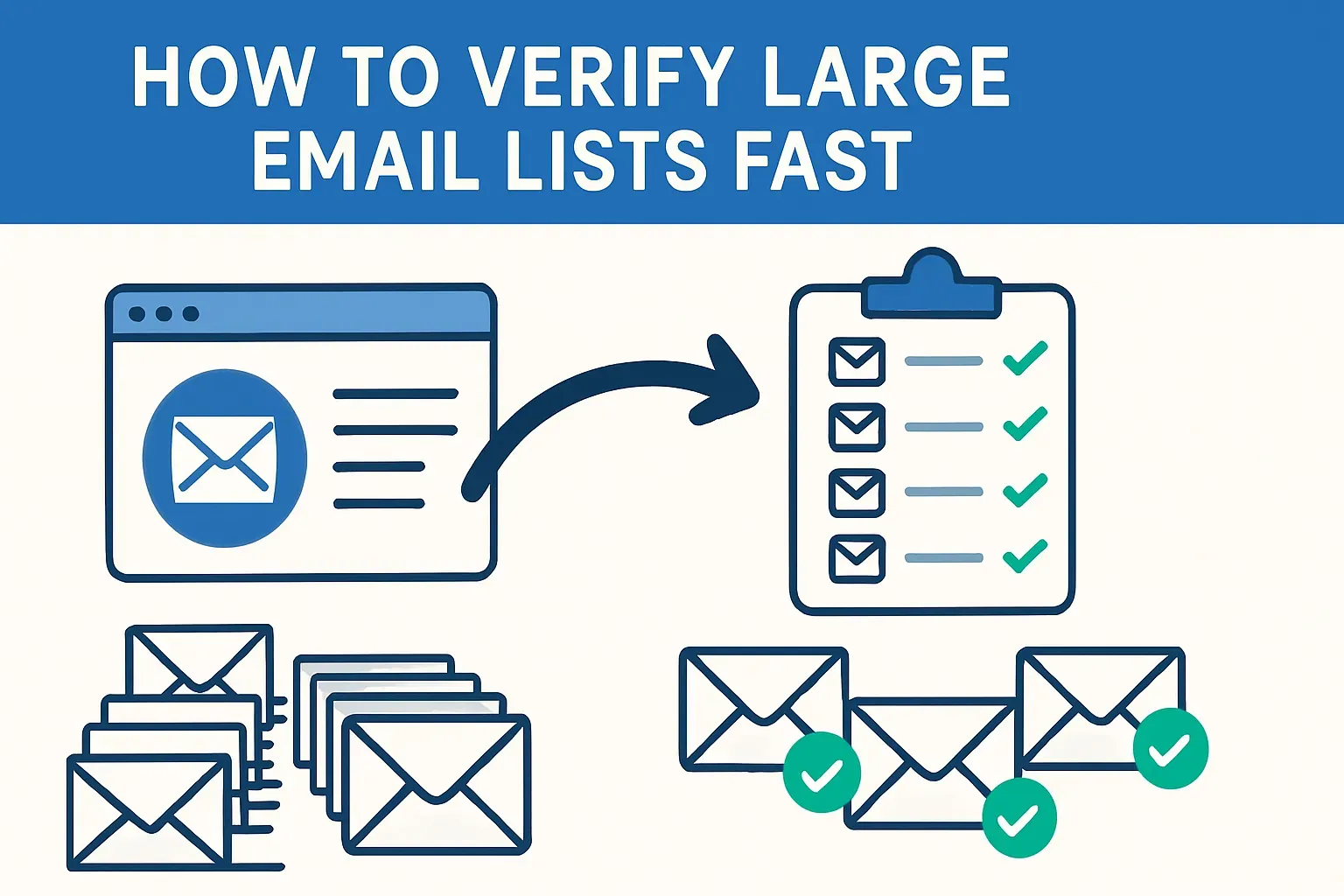

When you send an email campaign, every invalid address in the list creates a chain of problems. Messages that bounce tell internet providers your domain may not be trustworthy. If this happens too often, your emails start landing in spam folders—even for the people who actually want to read them.
At the same time, you’re paying for each send, so every invalid address wastes part of your marketing budget.
What email verification actually is
Email verification is a technical check that answers a simple business question: can this address really receive your message? The process goes through several layers step by step.
1. The system looks at the spelling of the address. If it’s written incorrectly—say, “gmal.com” instead of “gmail.com”—the email will never reach anyone.
2. Next, it checks whether the domain itself has mail servers set up. If the domain has no active servers, the address cannot work.
3. After that comes the deeper check. System contacting the server to see if the individual mailbox exists. This step is often called an SMTP check, and it is the part that confirms whether “anna@company.com” is a real, active inbox.
Beyond these core steps, verification runs risk checks. It can detect temporary “disposable” addresses often created just to grab a free trial. It can identify role-based emails like “sales@” or “info@” that rarely lead to personal engagement.
Some servers accept every address on the domain regardless of whether it exists—these are known as catch-all addresses. And then there are spam traps, hidden addresses used by providers to catch mass senders. All of these are technically “emails,” but they can cause trouble if left in your list.
At this point it’s useful to separate two terms that often get mixed together: verification and validation.
- Verification is about technical deliverability—checking whether an address can accept mail.
- Validation goes further and looks at whether the address is real and useful in practice. For example, a disposable mailbox may pass verification, but it fails validation because it will not contribute to long-term engagement.
This is why not all “valid” addresses bring value. A marketing team might clean a list and find 95 percent of addresses technically deliverable. But if 15 percent are disposables or role accounts, engagement rates will still stay low.
The campaign may be reaching inboxes, but not reaching people who will actually read or respond. That is why proper verification is more than just removing typos—it is about protecting the quality of the audience behind the list.
The core checks performed during verification
When a verifier processes an email list, it doesn’t just mark addresses as good or bad at random. It goes through a series of technical checks that filter out risky entries step by step. Each stage removes addresses that are either undeliverable or unlikely to bring value.
— The syntax check
This is simply making sure the address follows the right format: name, the “@” symbol, and a valid domain. A small typo like “user@gmial.com” will fail here. These errors are easy to catch and quick to fix.
— DNS or MX lookup
This part asks: does the domain behind the email even have a mail server? If the domain has no setup for receiving emails, then every address under it is worthless. For example, “jane@closedcompany.com” might look fine on the surface, but if the company shut down its servers, every message will bounce.
— The mailbox check (STMP)
Here the verifier connects briefly to the domain’s mail server to see if a specific mailbox exists. This has to be done carefully so that it doesn’t trigger alarms or appear as spam activity. Done properly, it confirms whether “anna@company.com” is a real inbox that will accept mail.
— Risk factors check
Disposable addresses are a common one. People create them to sign up quickly for trials or downloads, then abandon them. They may pass the first steps but are useless for long-term marketing. Role accounts like “info@company.com” or “support@company.com” are another category. These often route to a shared inbox, which makes engagement very low.
Catch-all domains present a special challenge. Some mail servers accept everything you send, even if the specific address doesn’t exist. This means you can’t be sure whether your message will land in an inbox or vanish. Sending to these addresses carries risk: your bounce rate may rise later if the server quietly discards them.
— Spam traps check
These addresses are set up to catch senders who don’t clean their data. Sending to them can damage your reputation quickly, so finding and removing them is critical.
— Heuristic checks
It helps spot fake or risky patterns. Random strings like “xzy123@random.com” or addresses with offensive words are obvious candidates to remove. Another indicator is when a domain has no real website behind it, suggesting it may not belong to a legitimate organization..
Tool for fast & automatic email verification
LetsExtract is a email verifier designed for teams that need high-volume checks without per-email fees. It runs multiple verification levels—from quick syntax checks to deep mailbox probes—and processes lists in parallel, which makes it suitable for large batches run on local hardware or a dedicated server.
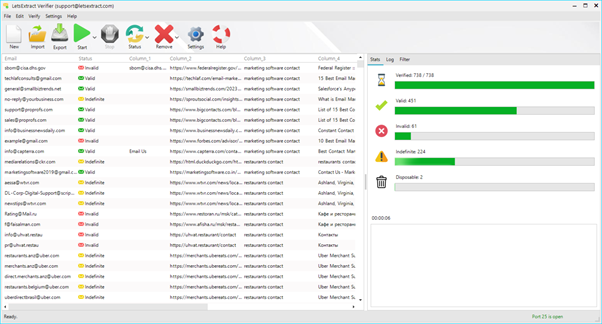
Key features:
- 10 verification levels (syntax → deep SMTP checks)
- MX and SMTP mailbox checks
- Disposable email detection and blacklist filters
- Website availability check for domain validation
- Multithreaded processing for high throughput
- Unlimited verification option via a one-time license
What verification results mean and how to interpret them
After running verification, every address in the list gets a status. These results are not just labels; they guide what you should do next. Understanding each category helps you decide which addresses to keep, which to suppress, and which to monitor.
— Valid addresses
They are the safest. They pass all checks and can receive mail. These should stay in your list without hesitation. Still, even valid contacts can underperform if they belong to people who don’t engage. That’s why ongoing list hygiene remains important.
— Invalid addresses
They are either formatted incorrectly, linked to domains with no mail servers, or mailboxes that do not exist. Sending to them will always bounce. The right approach is to remove them completely.
— Risky or unknown
Some results fall into a gray area. This happens when the verifier cannot confirm the status with full confidence, often because the server blocks verification attempts. In practice, you can choose to set these addresses aside for re-checking later or send to a small test segment to see how they behave. It is a balance between keeping potential leads and protecting deliverability.
— Disposable addresses
They are technically valid but offer no long-term value. They usually exist only for a few hours or days. If you keep them, you will inflate your list and waste send costs. Best practice is to remove them right away.
— Role-based accounts
Like “sales@” or “info@”. They may be useful for customer support or general announcements but rarely help with lead nurturing or sales campaigns. Many teams keep them in a separate segment and send only certain types of messages.
— Catch-all addresses
The domain accepts all messages, so the verifier cannot know if the mailbox truly exists. These can drag down deliverability if many of them later bounce. A common approach is to segment them and send cautiously, measuring engagement before deciding whether to keep them.
Common pitfalls and how to avoid them
Email verification seems straightforward, but in practice there are traps that can lead to wasted effort or even harm your reputation if you’re not careful.
- Relying only on SMTP pings
This method checks if a mailbox responds, but the answer is not always reliable. Some providers block these probes or deliberately return “yes” even when the mailbox doesn’t exist. If you treat these results as absolute truth, you’ll keep many invalid addresses in your list. The way to avoid this is to combine SMTP checks with other layers: syntax rules, domain lookups, and risk filters.
- Trying to “verify” an address by sending an email
Doing this once is harmless, but at scale it backfires. If thousands of test emails bounce or land in spam folders, your sender reputation takes a hit. This damages deliverability for your real campaigns. A safer approach is to use dedicated verification tools that simulate these checks without sending messages.
- Ignoring where the data came from
An address that was collected five years ago is much more likely to be invalid than one gathered last week. Lists purchased from external vendors often hide spam traps or role-based accounts that can damage your deliverability. If you don’t track the source and age of each contact, verification becomes less meaningful, because you are treating fresh and stale data the same way. Good practice is to store metadata about each address—where it came from and when. That way you can prioritize re-checking older or riskier segments.
The general rule is simple: don’t rely on a single method, don’t test at scale with live sending, and always pay attention to the quality of the source. If you build your verification process on these three principles, your lists will stay cleaner and your campaigns will run with fewer surprises.
FAQ
What is email verification?
It’s the process of checking whether an email address is real, active, and safe to use. A verifier runs through several steps: syntax rules, domain checks, and mailbox tests to filter out invalid or risky contacts before you send.
How often should I verify my list?
At least every few months, and always before big campaigns. If your contacts come from web forms or events, it’s smart to verify them at the point of collection and then re-check older segments regularly.
Will verification remove catch-all addresses?
Verification tools can detect domains that accept all emails (catch-all), but they can’t always confirm if the mailbox itself is real. These addresses should be marked as “risky” and treated with care.
Can verification hurt my sender reputation?
No. Proper verification is done without sending real emails, so your reputation stays safe. What harms you is trying to test deliverability by blasting “probe” emails at scale.
How much does bulk verification cost?
Prices vary by provider and volume, but the cost per address is usually just a fraction of a cent. Even for large lists, verification is far cheaper than the wasted spend, bounces, and lost deliverability you’d face without it.
It's time to try LetsExtract (it's free)
 Click here to download the LetsExtract Email Studio
The trial version will allow you to create a contact list, check email addresses and start mailing.
Related posts:
 Cold emailing in 2025: pros, cons & winning alternatives
 Nonexistent and invalid email addresses: can they be brought back to life?
 Omnichannel marketing: how to combine email, SMS, push & social
 Why you shouldn’t buy email lists for your campaigns — risks, laws & better alternatives
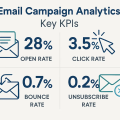 Email campaign analytics: key KPIs
