


In email marketing, the issue of nonexistent or invalid email addresses is a legitimate concern, as their use can significantly reduce campaign effectiveness, increase bounce rates, and damage the sender’s reputation.
But what exactly are these addresses? Can they be considered permanently “lost”? Let’s explore the nature of these addresses and whether it’s worth working with them.
What is an invalid address?
An invalid address is any email that currently cannot receive messages. There are many reasons why an address becomes invalid, each with its own cause.
— Incorrect syntax
This category includes emails with typos, for example, “s@mailto:mpl@gmail.com” instead of “sample@gmail.com”. Such addresses cannot be recovered because they were entered incorrectly from the start.
— Deleted or inactive domain
If the mail domain (the part of the address after the @ symbol) has been deleted or is no longer supported, all associated addresses automatically become invalid. However, if the domain is bought and restored, the associated email can start working again.
— Addresses without DNS configuration
There are situations where a domain exists but is not configured to receive mail. This happens if the domain’s DNS servers lack the MX records necessary for mail operation. Sometimes the problem is temporary, and after some time, such domains start accepting mail again.
— Temporary mail server failures
It happens that servers processing mail temporarily do not respond to requests (network issues, configuration problems, etc.). These cases cannot be 100% classified as “nonexistent addresses” because they can become available again.
Can “dead” addresses become active again?
The answer is yes, but with caveats. Some researchers and email campaign specialists confirm that a small portion of addresses classified as invalid can soon start accepting messages again. However, such addresses are often prone to unstable operation, making them unreliable for mass email campaigns.
Our test results:
- From a verified list of invalid addresses, about 1.1% were restored.
- Of these “restored” addresses, 70% stopped working again within the following weeks.
- As a result, less than 0.1% of all originally invalid emails turned out to be stable.
Thus, the probability of “reviving” an invalid address is low, and even if it happens, there’s a high chance it will fail again.
Why such instability? The main reason lies in the operation of DNS servers and their connection to mail systems. If a DNS server or its settings are temporarily unavailable, the email is automatically marked as invalid. However, upon re-checking, the address may become active again if the issue is resolved.
Such cases are especially common when:
- DNS servers are overloaded with requests.
- The mail server is temporarily down for maintenance or due to technical issues.
- DNS settings have been updated or corrected, restoring mail accessibility.
However, unstable addresses remain problematic because it’s impossible to predict exactly how long they will remain available.
Is it worth re-checking invalid addresses?
In most cases, the short answer is no. Trying to bring dead email addresses back usually costs more time and money than it’s worth. For example, if you run an online store and keep sending promos to addresses that no longer exist, you’ll pay for those sends, hurt your domain reputation, and still get nothing in return.
At the same time, there are situations where a quick recheck makes sense. If your list is small — say under 5,000 contacts — and those contacts are valuable clients or leads you personally know, you can run them through a verification tool once more. But if you have a large database of 10,000 or more contacts collected over years, and you’re not even sure where some of them came from, it’s safer to remove invalids right away instead of risking your deliverability.
So, when an address is worth rescuing? A simple way to decide is to look at two things: how valuable each contact is for your business and how big the list is.
Here’s a quick decision matrix:
| List size ↓ / Value per contact → | Low value | High value |
| Small list (up to 5k) | Remove | Test / Re-engage |
| Medium list (5k–20k) | Remove | Selective test |
| Large list (20k+) | Remove | Remove (risk too high) |
The simple rule: the smaller and more valuable your base, the more carefully you test. The bigger and cheaper your audience, the faster you should clean and move on.
Verify → Segment → Re-engage → Decide
Working with invalid emails becomes easier if you follow a clear sequence of steps. This way you won’t waste energy on hopeless addresses and will keep your database healthy.
— Verify
Start by running your list through an email validation tool such as LetsExtract. These services check whether the address can technically receive mail. For example, if your database has 10,000 contacts collected over two years, a tool like this will instantly show which ones are hard bounces, which are risky, and which are fine to keep.
— Segment
Divide your list into three groups: safe, suspicious, and invalid. Safe addresses are those confirmed to work. Suspicious ones may have temporary issues, like a mailbox that was full when you last wrote. Invalids are those that consistently fail. Keeping these groups separate helps you avoid damaging your sender reputation.
— Re-engage
For the suspicious group, send a short reactivation sequence over about 30 days. Three emails are enough: a simple “we miss you” note, a follow-up with a clear benefit (like a discount or useful resource), and a final reminder with an easy unsubscribe link. If the person opens or clicks, you know the address is active. If nothing happens, it’s best to let it go.
— Decide
After one month, review the results. Keep the safe group, add re-engaged addresses back to your main list, and remove the ones that stayed silent or bounced again. As an example, a sales team that tested 2,000 “suspicious” contacts found that only 50 showed signs of life. They kept those 50, removed the rest, and their bounce rate dropped sharply in the next campaign.
Deliverability checklist
Even if your list is clean, emails won’t reach inboxes unless the technical side is in order. The good news is that you don’t need to dive deep into IT to handle the basics. A few quick checks are enough to keep deliverability healthy.
- Look at MX records
These are the settings that tell the internet where to deliver your mail. You can check them with free tools like MXToolbox. If the tool shows no MX records, the domain cannot receive or send mail reliably.
- Check SPF, DKIM, and DMARC
Think of them as ID cards for your emails. They prove to Gmail, Outlook, and other providers that the message is really from you, not a scammer. Many email platforms, including Google Workspace and Microsoft 365, let you test these records in a few clicks. If one of them is missing, some of your campaigns may land in spam.
- Don’t send everything at once
If you’re adding previously unused addresses back into your list, start small and warm up gradually. For instance, send 50 emails on the first day, 100 the next, and double the volume every few days until you reach your normal sending level. A sales team that reintroduced 500 “quiet” contacts this way saw inbox placement remain steady, while another that dumped the same addresses into one blast ended up with a blocked domain.
FAQ
What is an invalid email address?
It’s an email that cannot receive messages. This happens when the mailbox doesn’t exist, the domain is wrong, or the address was mistyped.
Can invalid emails be fixed?
Some can. If the issue is a typo like gmial.com instead of gmail.com, correction works. If the mailbox is permanently closed, the address can’t be restored.
How do you check if an email is valid?
Use an email verification service. It quickly tests if the address exists and if the mailbox is able to receive mail without sending an actual message.
Is it worth trying to revive invalid emails?
Only when each contact has high value. For small, valuable lists you can test and re-engage. For big, low-value lists it’s cheaper and safer to remove them.
What happens if you keep invalid emails in your list?
Your emails will bounce, your sender reputation will drop, and inbox providers like Gmail may start sending even valid emails to spam.
How often should you clean your email list?
Most experts recommend every 3–6 months. For high-volume senders, quarterly cleaning is safer.
What tools are used to verify email addresses?
Popular services include LetsExtract, NeverBounce, ZeroBounce. They work in bulk and are inexpensive.
What is the difference between “hard bounce” and “soft bounce”?
A hard bounce means the address is invalid and won’t work again. A soft bounce means the mailbox is temporarily unavailable — for example, it’s full or the server is down.
Can you re-engage inactive but valid emails?
Yes. These addresses work but the person stopped opening messages. You can try a short reactivation campaign, such as three emails over 30 days with a clear reason to return.
Does email list cleaning improve deliverability?
Yes. A clean list reduces bounces and spam complaints, which helps inbox providers trust your emails more.
What is the cost of verifying emails?
On average, between $0.005 and $0.02 per address when buying credits in bulk.
What’s the best practice if you’re not sure about an email?
Put it into a “quarantine” segment. Don’t send marketing campaigns to it until it passes re-verification.
Conclusion & next steps
The concepts of “nonexistent” and “invalid email” cover a wide range of situations, some of which are irreversible (e.g., syntax errors), and some are temporary (technical failures). However, most invalid addresses remain so forever.
Working with such addresses is generally not worth the effort invested, especially if the database is large. For effective email campaigns, it is crucial to keep your database up-to-date, regularly check it for invalid emails, and remove inaccessible addresses.
Before trying to “revive” invalid addresses, consider whether it’s worth the time, resources, and potential risk to your reputation. A truly successful email campaign is built on a complete and clean database.
It's time to try LetsExtract (it's free)
 Click here to download the LetsExtract Email Studio
The trial version will allow you to create a contact list, check email addresses and start mailing.
Related posts:
 Email extractors: a complete guide to charge your lead generation
 Omnichannel marketing: how to combine email, SMS, push & social
 Cold emailing in 2025: pros, cons & winning alternatives
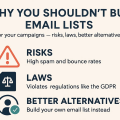 Why you shouldn’t buy email lists for your campaigns — risks, laws & better alternatives
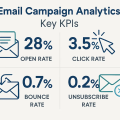 Email campaign analytics: key KPIs
