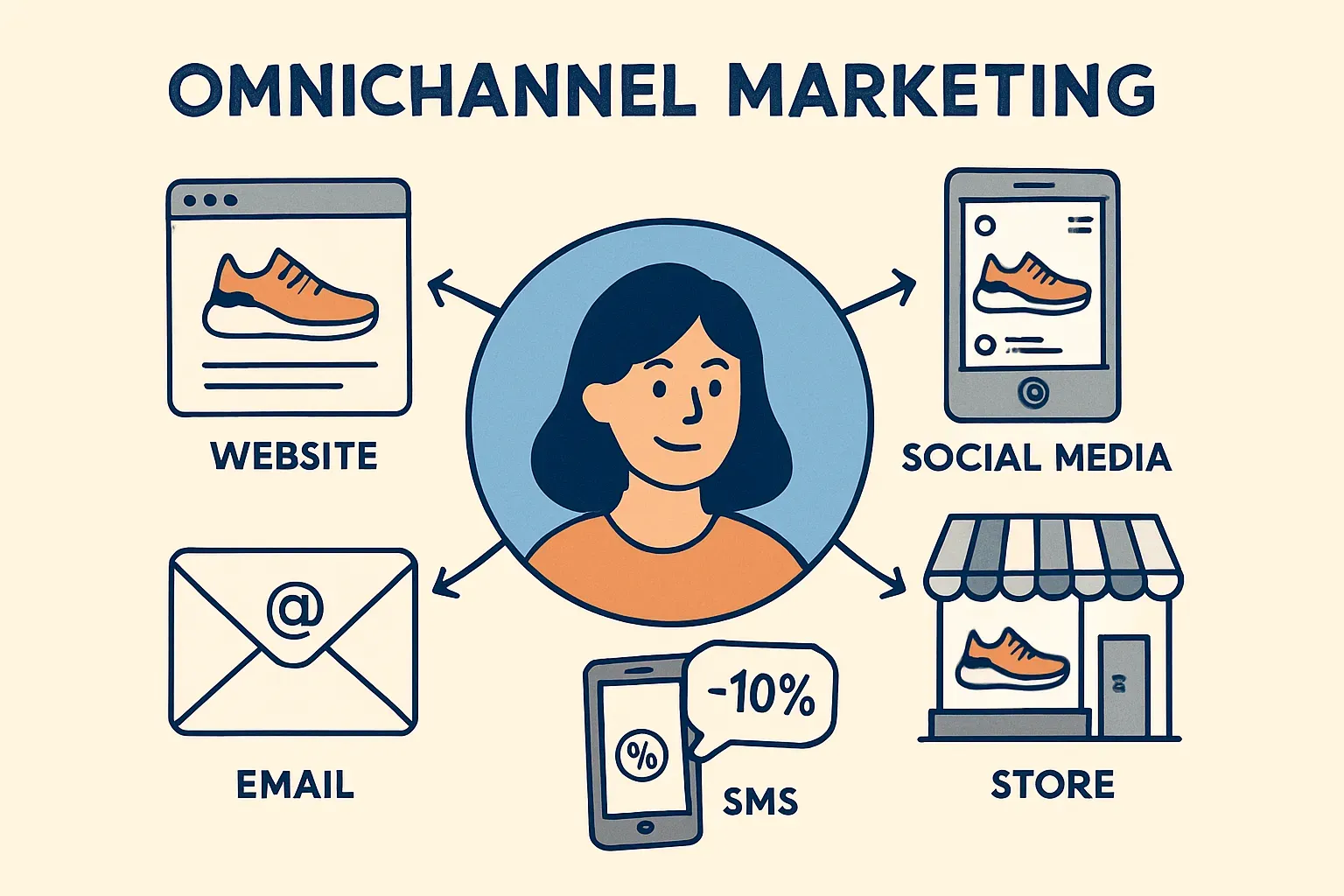

Omnichannel marketing means creating a consistent experience for your customers across all the ways they interact with your business—email, SMS, website, social media, and even your physical store if you have one.
Here’s a simple way to look at it:
- A customer browses running shoes on your website but doesn’t buy.
- The next day, they get an email showing the same pair, along with similar options.
- Later, they get a well-timed SMS with a discount.
- When they finally check your Instagram ad, it features the same product. Every message lines up. That’s omnichannel. Everything feels connected—like a single conversation that picks up right where it left off.
This is different from multichannel marketing, where a business might use several channels—email, SMS, and social—but each one works in isolation. For example, a company sends a weekly newsletter, runs a separate SMS campaign, and posts random content on Facebook. There’s no connection between them.
Why your business needs an omnichannel approach
When your marketing channels work together, your results improve. That’s the main reason to use an omnichannel approach. You stop sending mixed messages, reach customers at the right time, and make better use of your budget.
It also helps reduce wasted spending. Without alignment, different teams may target the same customers with overlapping offers. That means you’re paying twice to reach the same person—sometimes with duplicate messages that lower your credibility.
Omnichannel marketing solves this by pulling everything into one view. You see who received what, when, and through which channel.
And when all your customer touchpoints are connected, the data becomes much more valuable. You don’t just see that someone clicked on an email. You see that they clicked, ignored the follow-up SMS, visited your website, and later came back through a Facebook ad. That kind of insight helps you make smarter decisions. You can focus your budget on the channels that work and adjust the ones that don’t.
Components of an effective omnichannel strategy
A strong omnichannel strategy starts with three things: clear data, coordinated messaging, and smart use of content.
— Step 1
Here you need to build a centralized customer profile. To know basic details like age, gender, and location (demographic data) is not enough. You also need to track what people do—what they click, browse, or ignore (behavioral data)—and what they buy, how often, and for how much (transactional data).
When this information is scattered across tools or departments, it’s hard to use. But when it’s all in one place, you can send more relevant messages and reduce noise. For example, if someone bought a laptop last week, they shouldn’t get another promo for the same one. It makes more sense to show accessories or support options.
— Step 2
Next, you need a unified campaign calendar. This is where many businesses fall short. Email, SMS, and social teams often work separately, which leads to overlapping campaigns or gaps in communication.
A shared calendar helps you plan better. If a new product launches next Tuesday, every channel should support that rollout without repeating the same message word-for-word. The email might carry the full story. The SMS gives a short reminder. Social posts build excitement. Each piece supports the same goal, just in a way that fits the format.
— Step 3
There’s cross-channel content planning. A single campaign idea can be adjusted and reused. For example, the subject line of an email can become a headline in an ad. A call-to-action in a push notification can mirror what you say in SMS. The tone, look, and timing stay consistent.
Email marketing
Email marketing is still one of the most powerful tools in your marketing stack. It gives you room to say more, test different ideas, and target people based on what they actually care about.
- Rich content
You can include images, product highlights, promotional offers, customer reviews, or even full guides—all in one message. It gives you space to tell a story or explain value clearly.
- Segmentation
You can send tailored messages based on behavior or purchase history. For example, someone who recently browsed jackets but didn’t buy could get a follow-up email with a few recommended options.
- A/B testing
It is allowed by most email platforms. You can try two subject lines or different layouts to see what gets more opens or clicks, then use that data to guide future sends.
- Experiment with text
To get the most out of email, a few basic habits go a long way. Start with the subject line. It’s the first thing people see, and it decides whether your email gets opened or ignored. Short, specific subject lines often perform best—especially ones that include numbers, questions, or a time frame.
- Personalization
Even just using someone’s first name in the greeting or subject line can improve results. Timing also plays a role. Sending during business hours on weekdays usually leads to better engagement, but it depends on your audience. Most email platforms let you test send times, so use the data to adjust.
Common traps:
- Relying only on mass sends without segmenting your list. When you treat your entire audience the same, engagement drops—and unsubscribe rates go up.
- Poor list hygiene. Keeping outdated or inactive contacts in your database can hurt deliverability. Emails may start going to spam folders, even for your engaged customers.
- Skipping basic legal and UX details. Every email should have a plain, easy-to-find unsubscribe link. If people can’t opt out easily, they’ll flag your emails instead. That damages your sender reputation and lowers future reach.
SMS & messaging
SMS is direct, personal, and almost impossible to ignore. Most texts are read within minutes—far faster than email or social.
You don’t need a lot of text or fancy design. Just a few clear words and a link can drive results. For example, a clothing brand might send: “New arrivals just dropped. Tap to see what’s trending: [link].”
That kind of message reaches people instantly and gets high click-through rates—especially when it’s relevant and well-timed. But to use SMS well, there are a few rules you need to follow.
- Always get proper opt-in before sending texts
This isn’t just good practice—it’s required by law in most English-speaking markets, including the U.S., U.K., and Canada. A checkbox during checkout or a double opt-in confirmation are standard ways to handle it.
- Keep your messages short
SMS has a 160-character limit for a reason. People don’t scroll in text threads the same way they do in emails or social feeds.
- Timing matters too
Avoid early mornings or late nights. Most SMS platforms allow you to set time windows based on the recipient’s local time zone. That way, you avoid waking someone up with a sale alert at 2 AM.
Common traps:
- Sending too many messages is a fast way to lose trust—and subscribers. Texts feel more personal than emails, so people have a lower tolerance for noise. Make sure you space out promotions and give people breathing room.
- Poor consent tracking. If you can’t prove someone opted in, you could face legal issues or get blocked by carriers.
- Don’t assume every message will go through. Phone numbers change. Some carriers block certain types of content. It’s smart to have a fallback—like an email—to make sure important updates still reach the customer if a text fails.
Push notifications & in-app messages
Push notifications and in-app messages are tools for short, real-time communication with users who’ve already engaged with your product or service. They’re great for bringing people back, nudging them to complete an action, or letting them know something important is happening right now.
Let’s say someone added items to their cart but didn’t check out. A push notification that pops up a few hours later—“Your cart’s still waiting, and your 10% off code expires tonight”—can be the reminder they need to finish the purchase.
To make these tools work well, the key is relevance.
- Segmentation
You shouldn’t send the same push to everyone. Target users based on behavior—like visiting a product page but not buying—or context, like location or device.
- Timing matters too
A user who browses at 8 p.m. likely won’t react to a 9 a.m. message the next day. And when possible, use rich media—images, emojis, or buttons that make the message more engaging without overloading it.
Common traps:
- Don’t overdo it. Too many push notifications become noise, especially if they’re irrelevant. Frequency caps help avoid this. If someone has already received three messages this week, maybe skip the fourth unless it’s critical.
- Always tie the message to something specific. A generic “Check out what’s new!” alert doesn’t do much. A better version could be: “New styles just dropped in your size—tap to see them now.” That tiny change adds context and makes it feel like the message was meant for them.
Social & chatbots
Social media and chat platforms play a different role in omnichannel marketing—they’re where people talk, ask questions, and expect answers quickly. They’re active parts of the customer journey where conversations happen in real time, and expectations are high.
When someone clicks on a Facebook ad and lands on your website, they expect the message to match what they saw in the ad. If the ad says “50% off summer styles today only,” the landing page needs to show exactly that.
Same with chatbots. If a user reaches out through Instagram or WhatsApp, they expect a fast, clear response. A chatbot can handle simple questions—like store hours, delivery info, or booking confirmations—without needing a human every time.
So here are some tips.
- Works best in connection
Promo calendars should be synced so that what’s live on email or SMS is also reflected on social ads and chat scripts.
- Consistent brand voice
If your email tone is warm and helpful, your Facebook replies shouldn’t sound robotic or cold. And any chat or comment interaction should feed back into your customer data, helping you learn more about each user.
Common traps:
- Running social and chat separately from everything else. That’s when things fall apart. One team might promote a discount on Instagram, while another sends a completely different offer through email. A customer sees both, gets confused, and loses trust.
- Someone leaves a negative comment on a post, and it’s ignored—publicly. That damages your brand more than a bad ad ever could.
Measuring success: KPI & reporting
In omnichannel marketing, results don’t come from guesswork—they come from tracking the right numbers and knowing what they mean in context. Each channel—email, SMS, push, social—has its own set of key performance indicators (KPIs), and they show different sides of how your audience responds.
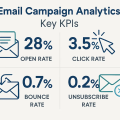
— For email. Marketers usually watch open rate, click-through rate, and unsubscribe rate. A high open rate means your subject lines are doing their job. A decent click-through rate shows the content inside is relevant. If unsubscribes start climbing, your message may not be hitting the mark—or you’re sending too often.
— For SMS. High delivery and click rates, and notice quickly if people opt out.
— For push notifications. All is about timing and engagement—low response rates often mean people are tuning them out.
— For social. Metrics go beyond likes and shares. Comments, DMs, and click-throughs from ads say more about real interest than vanity numbers.
The challenge in omnichannel is about understanding how they all connect. Say a customer clicks an Instagram ad, signs up for your email list, gets a welcome email, and then finally buys something after clicking an SMS coupon. Which channel gets the credit? This is where attribution models come in:
- A “last-touch” model gives all the credit to the SMS, since it was the final step.
- A “first-touch” model gives it to the Instagram ad.
But most real-life journeys involve several steps, and that’s where multi-touch or data-driven models work better. They spread the credit across the full chain of interactions, helping you see what’s actually driving conversions over time.
Once you’re clear on what to track and how to connect the dots, it’s time to present the data. A good dashboard is split into two views. One is high-level—built for executives. It shows business impact: how many new customers came in, how much revenue campaigns generated, and what the return on marketing spend looks like.
The second view is more detailed, for the operations team. It breaks things down by channel, shows engagement trends, and flags problems early—like a sudden drop in open rates or a spike in opt-outs.
Conclusion & next steps
Omnichannel marketing is about showing up in the right places, at the right time, with a message that makes sense based on what the customer just did or said. When done well, it helps you build stronger relationships, spend less on guesswork, and get more value from every touchpoint.
The core pieces stay the same across industries. You need a single view of the customer, one campaign calendar for all channels, and a plan for reusing content so your message stays consistent. From there, you tailor the delivery—email for richer updates, SMS for quick nudges, push for real-time alerts, chat for instant support, and social for reach and conversation.
There are traps to watch out for:
- Messages that don’t match across platforms, data stuck in separate tools, and automations running wild without oversight. All of these chip away at trust and make your brand feel chaotic. The fixes are straightforward, but they take focus: align your messaging, clean your data, and check what’s actually going out.
- You don’t have to build everything at once. Start with one channel and one journey—say, email for cart recovery. Add SMS once that’s working. Test, measure, tweak. When something clicks, scale it.
It's time to try LetsExtract (it's free)
 Click here to download the LetsExtract Email Studio
The trial version will allow you to create a contact list, check email addresses and start mailing.