
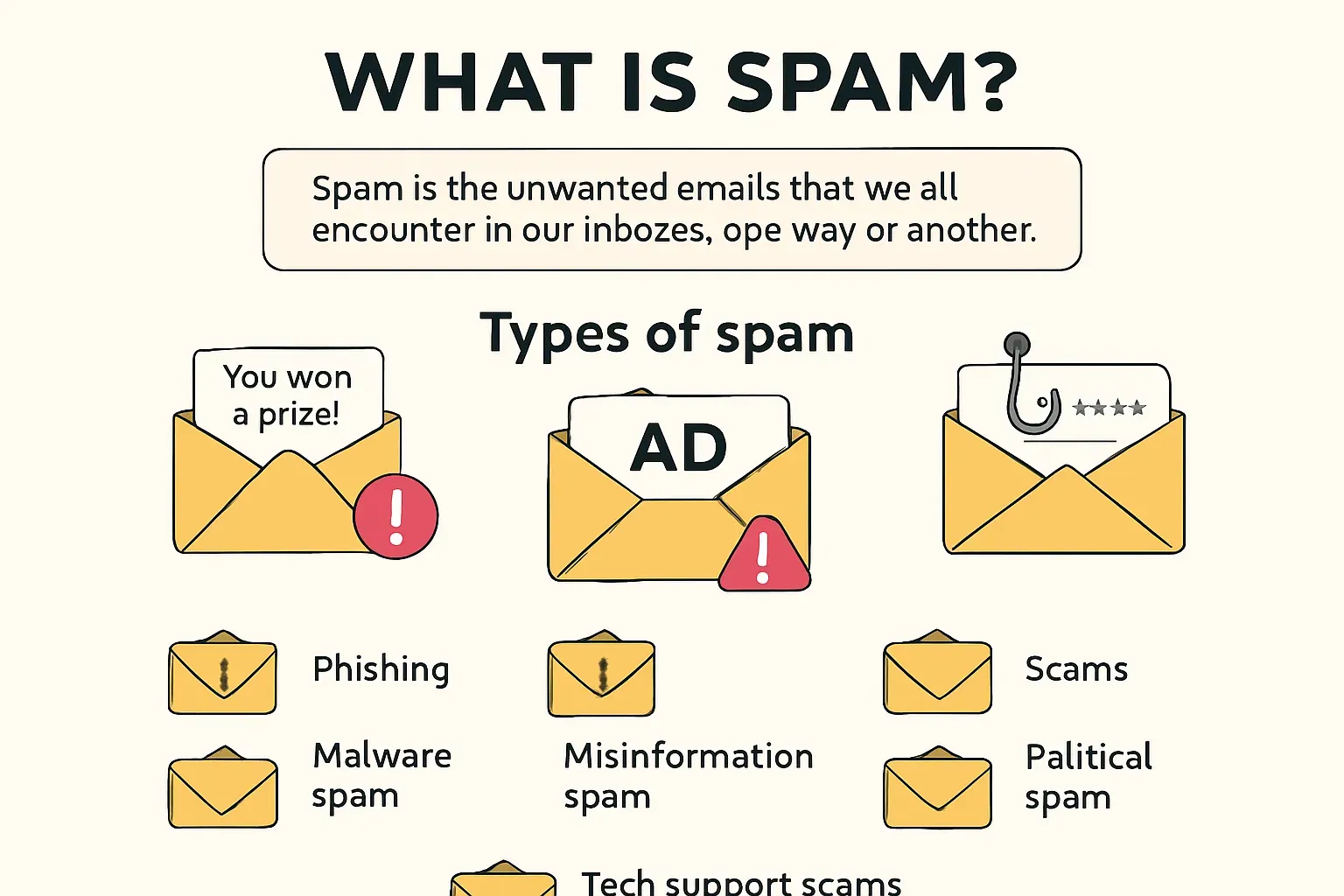

Spam is one of the most common problems faced by internet users. So, what exactly is spam? It’s the unwanted emails that we all encounter in our inboxes, one way or another.
Types of spam
Spam can take various forms. It might be suspicious notifications about winning a prize or intrusive advertising that just won’t leave us alone. For some readers, spam might seem like ordinary advertising, but in reality, they are quite different things.
- Phishing
Phishing emails try to trick you into doing one of three things: downloading a suspicious attachment, clicking on a dangerous link, or sharing your confidential information. Often, these emails look like they’re sent from trusted sources, which naturally piques users’ interest and can lead to disaster.
- Malware spam
Opening an attachment from such an email can have very serious consequences. These are typically files containing trojans, worms, or viruses that can lead to the theft of your personal data.
- Misinformation spam
This could be fabricated warnings or fake “chain letters” promising luck, which cause unnecessary panic and can make you react irrationally—which is very dangerous!
- Scams
Spammers might use any trick, such as the pretext of charity, to extort money. They can collect significant sums by promising large payouts when, in reality, it’s just a scam.
- Political spam
This is another harsh reality. While such emails usually don’t pose a physical danger, they shouldn’t be ignored. Since these messages are often spread by potential extremists, they can contain threats or incite hatred. If you come across such content, it’s worth reporting it to the authorities.
- Tech support scams
Here, spammers disguise their messages as notifications from large companies like Apple or Microsoft, reporting supposedly encountered technical problems. It’s easy to get confused by such emails, and some users might fall for this trick by clicking the provided links.
- Advertising spam
If you’re subscribed to various companies, you certainly receive promotional emails from them. But if an offer sounds too good to be true, it’s likely a scam.
How to recognize spam
Subscribing to newsletters is one of the most common ways to stay updated on news from your favorite companies. If you like what a company offers, you can easily subscribe to its mailing list to receive information about new products or special offers.
The creators of such newsletters strive to make the content interesting and non-intrusive. Spam, however, is entirely different. It’s always intrusive and unwanted, and in some cases, it can even be dangerous.
Here are some tips to help you distinguish unwanted messages from normal ones:
- Before opening an email, make sure the sender is actually familiar and trustworthy. Ignore messages from unknown senders—this is your first line of defense.
- Install antivirus and anti-spam programs for added protection.
- Always analyze the message subject line and avoid clicking on links with tempting offers.
- Pay attention to suspicious URLs and attachments, and don’t open emails with obvious errors or suspicious content.
Spam is also a security risk. Almost 1 in 7 cyber incidents in companies started with a spam email. Someone clicked a link, entered data, or downloaded a file that looked normal—and that was enough to open the door to hackers.
     Examples of spam |
How to protect yourself from spam
— Use unique usernames
Create an email address that’s harder for spammers to randomly guess. Spammers often generate databases simply from combinations of popular names and surnames, numbers, and well-known email services (e.g., john.doe85@gmail.com). It’s also better to avoid popular nicknames like boss@, hunter@, etc., as well as standard usernames like info@, contact@, support@, and webmaster@.
— Avoid entering your email on unknown websites
This is perhaps the simplest way to protect yourself. It’s also crucial not to download suspicious attachments. This is a fundamental principle of safe internet use. If an email arrives with an unrealistic offer, it might be a trap. It’s best to simply delete it.
— Use spam filters
If you need more serious spam protection, consider installing specialized software to help you manage email and block unwanted messages. Spam filters are a practical way to deal with this problem. Your email service may already offer such filters for automatic protection. You can set the parameters yourself, and unwanted messages will be moved to appropriate folders or even deleted entirely.
— Whitelisting
Another approach is using whitelists only. Most email programs or providers allow you to configure receiving emails only from known senders or from corporate domains.
— Keyword filtering
This has been a popular method for many years and still works. Specify words you find undesirable, and your email client will automatically delete such messages.
SPF, DKIM & DMARC: protecting from spam
Many spam emails look real. That’s what makes them dangerous. They copy the name of a bank, a delivery service, or even your own company and send messages that look like official business. The only way to stop this is to teach your email system how to tell real senders from fake ones.
That’s where SPF, DKIM, and DMARC come in. These three tools check whether an email actually comes from the place it says it does. You can think of them like ID checks.
- SPF
It’s like a guest list. It tells email servers which IP addresses are allowed to send mail on behalf of your domain. If a message comes from an unknown address, it gets flagged or blocked. For example, if you run a business at mycompany.ru, and someone tries to send emails as info@mycompany.ru from a foreign server, SPF will catch that.
- DKIM
Adds a digital signature to your emails. It works like sealing a letter with a stamp that only you own. The receiving mail server can verify this stamp. If the seal is broken or missing, the message might be fake. This helps stop tampered emails and makes it harder for scammers to pretend they’re you.
- DMARC
It tells the email server what to do when SPF or DKIM fails. For example, if a fake message doesn’t pass the checks, DMARC can instruct the server to reject it completely or to send it to the spam folder. You also get reports that show who’s trying to spoof your domain and how often.
Setting this up isn’t as complicated as it sounds. Both Gmail and Office 365 let you configure SPF, DKIM, and DMARC through your domain settings. In most cases, it takes 10–15 minutes to set up, and your hosting provider or registrar usually has step-by-step guides. You’ll need access to your domain’s DNS records, and then you just copy and paste the correct values provided by your email service.
It’s worth doing. When these three checks are in place, your domain becomes much harder to fake. Your customers stop seeing your messages in their spam folders. And scammers who try to send emails in your name will hit a wall. For a business, that’s not just technical hygiene—it’s basic brand protection.
SMS & social media spam
Spam doesn’t stop at email. In 2025, more and more of it comes through text messages and social networks. Attackers use these channels because people trust them and react faster.
— Smishing
If a message pops up on WhatsApp saying “your package is delayed” or “you’ve won a prize,” someone might click before thinking. This type of scam has a name—SMS phishing, or smishing.
The logic is simple. You receive a message that looks urgent. It might pretend to be from a delivery company, a government service, or even your bank. The link inside takes you to a fake website that looks almost real. There, you’re asked to enter personal information—for example, your card number or passport details. That’s how attackers collect data or infect your phone with malware.
— Social media spam
Works the same way. Fake accounts write to you in private messages, pretending to be tech support, an old friend, or someone asking for help. Sometimes they try to get you to send money. Sometimes they just want you to click a link, which leads to a phishing site. In business chats, it might look like a client asking to approve a file.
There are a few simple ways to protect yourself. On iOS and Android, you can block numbers and report spam right from the message window. If the message comes from an unknown number and looks suspicious, press and hold it, then choose “report” or “block.” It only takes a second, and it helps mobile providers improve their filters.
On WhatsApp, tap the “Menu”, then “More,” and select “Report.” Most platforms also allow you to block future messages from that sender.
There are red flags you can look out for:
- Spam messages often use words like “urgent,” “verify now,” “click immediately,” or “your account will be closed.”
- They might come at strange hours, use unnatural English, or have short links that hide the real address. If anything looks off, trust your instinct.
- A real service will never ask you to enter passwords or payment details through a text message.
FAQ: Top questions about spam
Why is spam still a problem in 2025?
Because it’s cheap, fast, and still works. Spammers don’t need high response rates to profit. If just one person out of thousands clicks a link or fills out a form, that can be enough to make money or steal data. At the same time, filters are getting better—but attackers constantly change tactics to bypass them. It’s a cat-and-mouse game that never really ends.
Is all spam dangerous?
No, not all of it. Some spam is just annoying—like endless ads for online stores you never signed up for. But others are dangerous. A single phishing message that looks like a notice from your bank can trick you into giving away passwords or payment details. Even if only one message out of a hundred is risky, that’s enough to cause serious damage.
Does two-factor authentication protect against phishing?
It helps—a lot. Two-factor authentication (2FA) adds an extra step when logging in. Even if someone steals your password through a phishing message, they won’t be able to log in without the second code (usually sent by SMS or generated in an app). It’s not perfect, but it closes one of the biggest holes attackers rely on.
Why do spam emails sometimes come from real companies i know?
There are two main reasons. Either someone faked the sender’s name and email (this is called spoofing), or the real company’s account was hacked. That’s why email authentication—SPF, DKIM, and DMARC—is so important. These tools help prevent fake senders and alert the real company if something strange is happening.
What’s the difference between unsubscribing and reporting spam?
Unsubscribing tells a company you no longer want to receive their messages. It works if the sender is legitimate — like an online store or newsletter. But if the email looks suspicious or includes shady links, don’t click unsubscribe. That might just confirm your address is active. In that case, it’s safer to mark it as spam so your provider can block similar messages in the future.
If spam filters already exist, do I still need to do anything?
Yes. Filters catch a lot, but not everything. Reporting spam helps the system learn. Setting up SPF, DKIM, and DMARC protects your domain. And training your team—even with just a simple guide—can prevent someone from clicking on the wrong link. Filters are good, but they’re just part of the solution. You’re the other part.
7 steps to a spam‑free inbox
If you don’t want to deal with spam daily, here’s a simple checklist that actually works. You can bookmark it or print it for your team.
1. Use email services with built-in spam filters
Gmail and Outlook already filter most junk. But the more spam you mark, the smarter they get. Check the “spam” or “junk” folder from time to time to clean it out and make sure no real messages got caught by mistake.
2. Report, don’t just delete
When you get a shady email, click “report spam” instead of just moving it to trash. This teaches the system and helps others avoid the same message. If it looks dangerous or has attachments, delete it right away.
3. Don’t click unsubscribe in weird emails
If the sender is a company you know, unsubscribing is fine. But if the message is suspicious or comes out of nowhere, don’t touch the links. That may confirm your address to scammers. Just mark it as spam.
4. Turn on two-factor authentication (2FA)
Add 2FA to your email, banking, and work accounts. That way, even if someone gets your password, they can’t log in without the second code. It’s free, takes two minutes to set up, and protects your data.
5. Set up SPF, DKIM, and DMARC if you manage your own domain
These three protocols are like digital locks on your mailbox. They stop scammers from sending fake emails that look like they came from your company. If you use Gmail for business or Outlook 365, setup instructions are built in.
6. Be careful with your email address
Don’t post your work email in public forums, comments, or online forms unless you trust the site. Spambots scan websites and pick up addresses. If you’re running a business, use a contact form instead of a public email on your site.
7. Use an anti-spam tool if you get a lot of mail
If your inbox handles dozens or hundreds of messages daily, add an anti-spam tool. These services give extra protection and let you sort messages more easily.
Following these steps doesn’t take much time. But they make a big difference—both for your inbox and your nerves.
It's time to try LetsExtract (it's free)
 Click here to download the LetsExtract Email Studio
The trial version will allow you to create a contact list, check email addresses and start mailing.


