
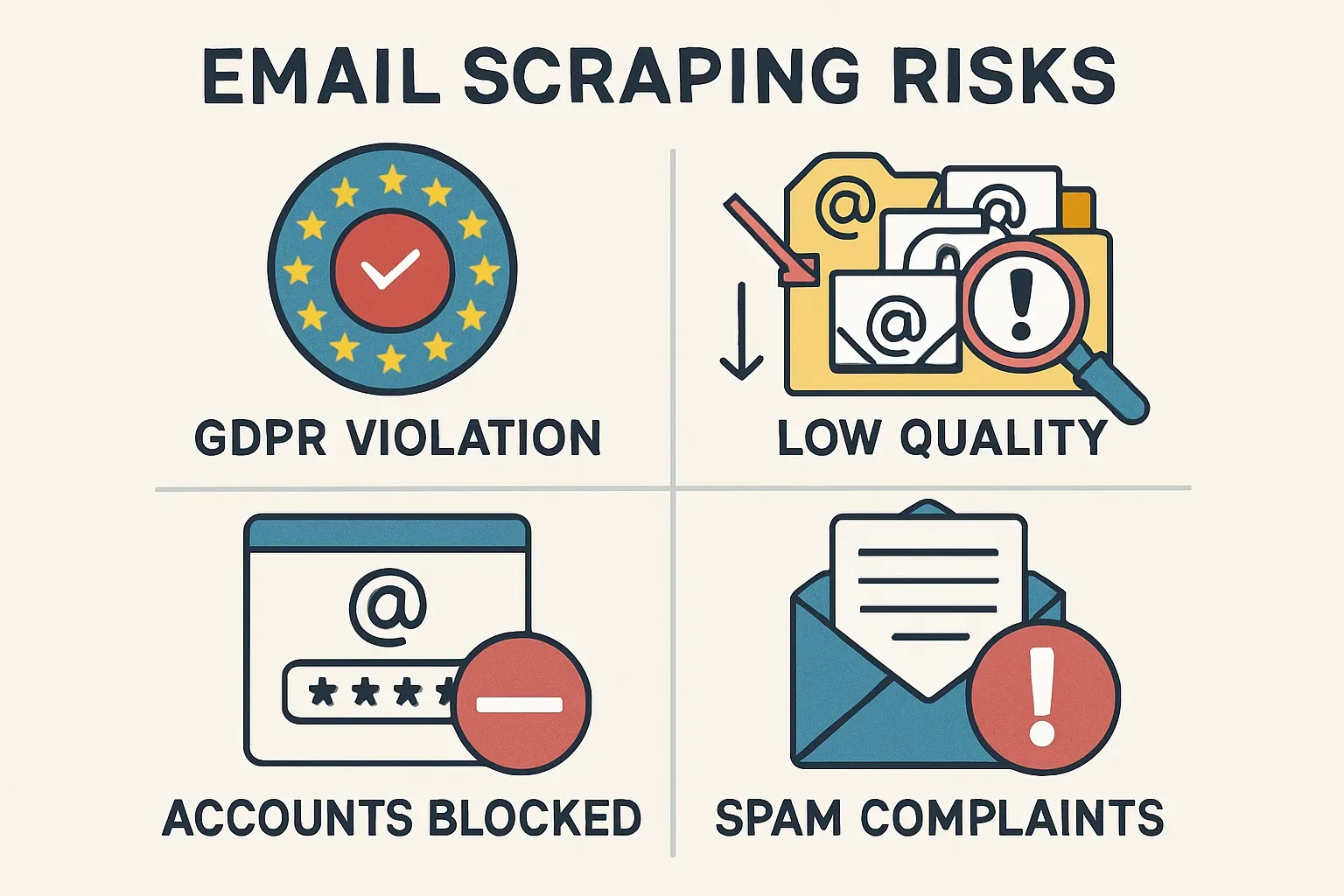

Email scraping is the process of collecting addresses automatically from open sources on the internet. Special programs or scripts go through web pages, scan the text and code, and pull out anything that looks like an email address.
The mechanism is simple: the software reads the page, looks for patterns like name@domain.com, and saves them into a list. Some tools go further and follow links, crawl through directories, or check public profiles to collect more data.
Is email scraping legal?
The legal status of email scraping depends on where you operate, how you use the data, and whether the information is considered personal. In most regions, the fact that an email address is publicly visible does not automatically mean it can be used for marketing. Laws focus on how the data is processed and whether the owner gave permission for that use.
In the European Union, for example, privacy rules treat any email address linked to a specific person as personal data. That means sending a message without consent can violate GDPR.
In the United States, rules differ by state, but anti-spam laws still limit sending unsolicited bulk messages. Other regions, from Canada to Asia-Pacific, also enforce consent-based models. The general principle is simple: if the address belongs to a person, you need a legal basis to use it.
Beyond the law, there are platform risks. Email service providers and CRMs usually have strict terms of service that ban the use of scraped lists. If you upload unverified contacts, your account can be suspended or blocked after the first wave of complaints.
There are safer ways to build a database. Permission-based signups, where users leave their email on a website or form, remain the most reliable option. Data enrichment services can add missing details to existing contacts without crossing into scraping. B2B intent platforms allow access to qualified leads with clear consent trails. These approaches take more effort but protect deliverability and reputation in the long run.
Before using any scraped list, compliance teams should check a few key points:
- Is there proof of consent, or another clear legal basis?
- Does the jurisdiction where you operate restrict sending cold emails?
- Do your email platforms or CRMs allow uploading scraped data?
- Are privacy complaints and blacklisting risks acceptable for the business?
If the answer to any of these questions is unclear, the safer path is to avoid scraping for marketing and rely on verified, opt-in sources.
The sources of scraped emails
They can be taken from company websites, online catalogs, forums, social networks, or public records. This makes the lists broad, but also inconsistent in quality. Many of these addresses were not meant for mass communication, which leads to problems when they are used in campaigns.
The key difference between scraping and building an opt-in list is consent.
In the opt-in model, a person gives their address to receive emails from you. With scraping, the addresses are collected without the owner’s knowledge. This is why accuracy is lower, the data gets outdated quickly, and in some cases, using it can violate terms of service or even local privacy laws.
The risks of scraping are practical as well as legal:
- On the practical side, scraped lists often contain typos, inactive addresses, or general contacts like info@company.com that rarely convert into sales. Sending emails to such lists leads to high bounce rates and spam complaints.
- On the legal side, regulators in many regions treat unsolicited messages as spam, which can result in fines or blacklisting.
Scraping itself is a technical method, not good or bad in isolation. It is widely used for market research and competitive analysis, where the data is not tied to direct marketing. But when it comes to email campaigns, businesses need to carefully balance the speed of collection against the risks of deliverability and compliance.
Mistakes and how to avoid them
— Scraping without source filtering
Pulling every address from a page gives you a list full of junk. You’ll end up with contacts like info@company.com or emails hidden in old comments. Always filter by domain, page type, or keyword to focus on real prospects.
— Ignoring robots.txt and rate limits
If you scrape too aggressively, websites will notice and block your IP. A sudden wave of 403 errors is a clear sign. Use throttling and follow site rules to avoid bans.
— Not deduping or normalizing
The same person can appear as John.Doe@company.com and john.doe@company.com. Without cleaning, you’ll email them twice, which looks sloppy. Normalize everything to lowercase and keep one version.
— Harvesting role and generic addresses
Emails like sales@company.com or support@brand.com rarely reach a decision-maker. They often trigger spam complaints. Filter out role-based addresses and focus on personal ones.
— Using scraped lists without consent
Uploading raw scraped data to your email platform is risky. Providers detect complaints fast and suspend accounts. Instead, use the list for research and reach out only where you have a clear opt-in.
— Missing disposable or throwaway domains
Addresses from services like mailinator.com look valid but bounce after one send. Always check for disposable domains and remove them before outreach.
— Not validating domain MX/SMTP
Some scraped emails look correct but have no working server behind them. Sending to these addresses increases bounce rates. A quick domain and mailbox check prevents wasted effort.
— Overloading servers and triggering errors
Scrapers that send too many requests cause 503 errors or outright IP bans. Spread requests over time and rotate proxies to stay under the radar.
— Storing personal data without protection
Keeping scraped lists in open spreadsheets or unsecured drives risks leaks. If personal data is exposed, the company faces fines and reputational damage. Always encrypt files and set retention limits.
— Treating scraped data as evergreen
An email collected two years ago is unlikely to be valid today. People change jobs, companies rebrand, domains expire. Re-verify regularly to keep the list fresh.
Each of these mistakes seems small until it snowballs into blocked campaigns, wasted budgets, or compliance headaches. Fixing them is about discipline: clean, validate, protect, and update. Best practice guides on deliverability (for example, from M3AAWG or ESP documentation) stress the same rules — without them, even the most sophisticated scraping tool won’t save you.
Tool for legal email scrapping
LetsExtract is a contact extractor that gathers emails, phone numbers and other contact fields from a wide range of sources. It can crawl websites, process search-engine results, scan directories, parse social profiles, check your own mailboxes and even read files on your computer. The tool supports keyword searches, works with Google Maps and Yelp for local business data, and exports results neatly into CSV or Excel.
Its feature set is focused on volume and flexibility. There is batch mode for large jobs, multi-threaded crawling for speed, filters by domain or country to narrow the list, proxy support to avoid blocks, and even a built-in verification option to weed out invalid addresses.
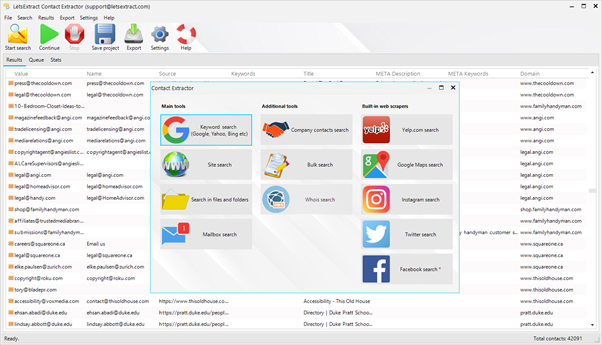
The license is lifetime, which makes the pricing structure straightforward. The program runs on Windows, and Mac users can launch it through Parallels.
In practice, such a tool is useful for very specific operational tasks. A small agency might use it to build a list of local restaurants from Google Maps. A recruiter could pull contacts from their own mailbox to consolidate everything into one file.
The extractor is designed for situations where you need structured contact data fast, but it is not a substitute for consent-based email lists. Using it works best when the data source is your own or when you need a one-time dataset for analysis, not when you are looking to bypass permission.
FAQ
Will scraped emails always work?
No. Many of them are outdated, inactive or protected by spam filters. A fresh scrape may still deliver high bounce rates if you don’t clean and verify the list.
What is the difference between scraping and buying a list?
Both give you contacts you don’t have permission to use. The only difference is the source. Neither approach guarantees accuracy or compliance.
Can scraping get my domain blacklisted?
Yes. If you send campaigns to scraped addresses, people can mark your messages as spam. This damages your sender reputation and may block your entire domain.
What risks come with scraping from social media?
Platforms often ban scraping in their terms of service. If you collect data from profiles, you risk having your account suspended.
Are all scraped emails bad?
Not always. Scraping your own mailbox or files is fine because it’s your data. Problems start when you target strangers without consent.
How do companies detect scraped lists?
Email service providers use filters, seed addresses and bounce tracking. If a new list suddenly has high failure rates, it’s a clear sign of scraping.
What about scraping for B2B contacts?
Even business emails can fall under privacy rules if they point to a person, not just a company. A generic info@domain is safer, but still not a green light for marketing.
Can I avoid penalties if I only scrape “public” data?
Not really. Public does not mean free to use. An address on a website may still be protected by privacy laws and spam regulations.
What are safer alternatives to scraping?
Use opt-in forms, enrichment services or intent data platforms. They give you cleaner contacts and keep you out of legal trouble.
It's time to try LetsExtract (it's free)
 Click here to download the LetsExtract Email Studio
The trial version will allow you to create a contact list, check email addresses and start mailing.
Related posts:
 Email extractors: a complete guide to charge your lead generation
 Why you shouldn’t buy email lists for your campaigns — risks, laws & better alternatives
 Nonexistent and invalid email addresses: can they be brought back to life?
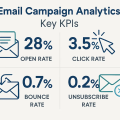 Email campaign analytics: key KPIs
 A/B testing in email campaigns: how to improve ROI
