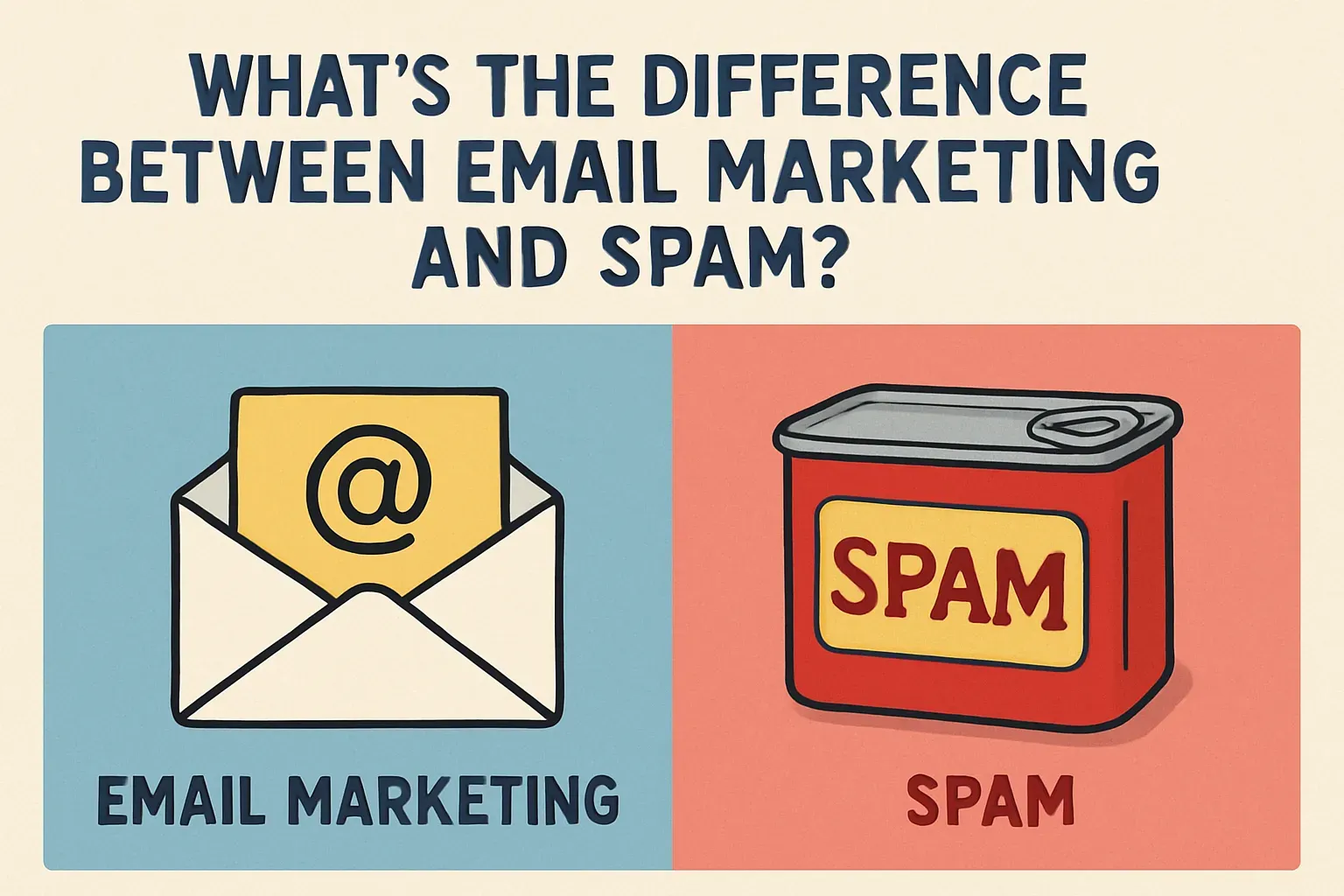

Spam and email marketing are two completely different things, although they might look similar on the surface. Let’s figure out how to tell them apart so we don’t confuse useful and legal customer communication with intrusive and illegal mass mailings.
What is spam?
Spam is the mass sending of messages to people who did not give their consent. This is the key point. Spammers typically obtain email addresses through dishonest methods, such as
- Purchasing databases of addresses.
- Using automated programs to harvest email addresses from public sources on the internet (e.g., using tools like email extractor).
- Deceptive tactics, like mimicking a website registration form.
The goal of spam is to push a product or service by any means necessary, disregarding the comfort and interests of the recipients.
What is email marketing?
Email marketing is a tool built on user consent to receive your emails. This could be a subscription via a website form, filling out a registration form agreeing to messages, or manually providing an email address (e.g., at events or when filling out offline surveys).
The goal of email marketing is to establish a trusting relationship with the audience by providing useful information, interesting offers and maintaining communication.
Spam or not: how to understand?
Many people get confused: how do you know when a promotional mailing is legal, and when is it blatantly harmful? Here are a few simple signs.
Signs of email marketing:
- Every message should have an “unsubscribe” button or link allowing quick and hassle-free removal from the mailing list.
- Emails arrive at reasonable intervals—once a week, once a month, or according to other agreed-upon rules.
- Email marketing aims to be valuable to the recipient. This could include helpful tips, relevant news, or personalized offers.
- Good marketing is personalized: emails address you by name, and offers align with your interests.
Signs of spam:
- Spammers don’t offer an opt-out option; they simply keep flooding your inbox.
- Often uses forged email addresses or impersonates large companies.
- Spammers send emails in huge volumes and far too often, just trying to grab attention.
- No value in such emails: they might contain random offers, strange links, or intrusive advertising.
- Spammers use massive contact databases containing millions of addresses, collected, as mentioned, through dishonest means.
- Sometimes they use phishing to steal your data. For example, you receive an email pretending to be from your bank asking you to confirm data via a suspicious link.
- Spammers may send negative reviews or fake information to discredit competing companies.
- Advertising of dubious products—this includes everything from pirated software to illegal services or goods.
Spam harms not only the recipients flooded with unwanted mail but also the companies using such methods. In contrast, email marketing helps build relationships with the audience, increase customer loyalty, and drive sales without negativity.
Best practices for high deliverability & inbox placement
Good content is important, but it won’t help if your emails go straight to spam or never reach the inbox. Deliverability depends on a few practical things that you can control—even without technical skills.
These include how clean your contact list is, when and how often you send messages, and what words you use in your subject lines.
- Start with your list
Over time, any email list gets messy. Some addresses stop working. Some people lose interest. If you keep sending to these contacts, email services will see it as a red flag. That’s why it’s important to clean the list regularly. Remove addresses that bounce back—these are emails that couldn’t be delivered. Most email platforms, like Mailchimp will flag them automatically. Just don’t ignore those warnings.
- Watch out for inactive subscribers
These are people who haven’t opened your emails in months. Sending to them again and again doesn’t make sense. It lowers your open rate and increases the chance of getting marked as spam. A better approach is to send a re-engagement email. For example: “Haven’t heard from you in a while—still want to stay in touch?” If they don’t click, unsubscribe them. It’s better to have a small, active list than a big one that doesn’t respond.
- Timing matters too
Email platforms pay attention to how people interact with your emails. If you send at the wrong time, fewer people open your message, and your reputation suffers. For most business audiences, Tuesday to Thursday mornings work best—roughly between 9 and 11 a.m. This may vary depending on your audience, but it’s a good starting point.
- Subject lines also play a big role
Certain phrases trigger spam filters right away. These include “100% free,” “buy now,” “act immediately,” or anything in all caps. They look like spam—even if the rest of your email is legit. Instead, write subject lines like a human. Keep them short, clear, and relevant. A good example: “Your invoice is ready” or “New delivery options this month.”
Legal compliance: CAN-SPAM, GDPR & CASL
If you’re sending marketing emails, it’s not enough to have a good offer or a nice design. You need to follow the law—otherwise, your emails can be blocked, fined, or marked as spam automatically.
There are three key laws that cover email communication: CAN-SPAM (USA), GDPR (EU), and CASL (Canada). If you send emails to users in these regions, you’re responsible for following the rules.
- CAN-SPAM
It says you have to make it easy for people to unsubscribe, clearly show who the email is from, and avoid misleading subject lines. If you’re a small business owner sending a monthly promo email, that means you must include your real business name, a working physical address, and a clear unsubscribe link. For example, if your message is titled “exclusive offer inside!” But just containing a general update, that’s a violation—it’s considered misleading.
- GDPR
It focuses on consent. You can’t just assume someone wants your emails. They have to actively agree to receive them. If you collect emails through your website, you need a checkbox that says something like: “I agree to receive marketing emails.” That box can’t be pre-checked. And you need to store proof that they agreed. For instance, if a user signs up at your conference booth, it’s not enough to write down their email. You need to document that they gave permission to receive future messages. If someone later complains, you’ll need that proof.
- CASL
It’s Canada’s version, and it mixes rules from both systems. You still need consent, and you also need to clearly identify yourself in the message. If a Canadian user receives your email and can’t tell who it’s from or how to unsubscribe, you risk fines.
These rules may sound heavy, but they all come down to the same three things: get permission, be honest, and give people a way out. To stay compliant, every email you send must include:
- A clear unsubscribe link (no hidden buttons or long forms).
- Your real company name and a physical address.
- Emails only to users who gave explicit permission to receive them.
A simple test: if you sent yourself this email, would you be able to see who sent it, know why you got it, and unsubscribe in one click? If not, something’s wrong.
SPF, DKIM & DMARC for better deliverability
You can write the perfect email. But if it lands in the spam folder, no one will read it. That’s why technical setup matters—even if you’re not a technical person. Three things help email services like Gmail trust your message: SPF, DKIM, and DMARC.
— SPF
It’s like a list of who’s allowed to send emails on your behalf. You add this list to your domain settings. If someone tries to send a message from your domain but isn’t on that list, it gets blocked. For example, if your domain is mycompany.ru and you use Mailchimp to send newsletters, you tell the internet: “Only Mailchimp has the right to send emails from @mycompany.ru.” That stops spammers from faking your address and helps your real emails avoid the junk folder.
— DKIM
Works like a digital signature. It adds a special code to your message that proves it hasn’t been changed on the way. Think of it like sealing a letter with a stamp that matches your domain. Email services check that stamp. If it’s valid, they trust the message. If it’s missing or broken, they get suspicious.
— DMARC
Pulls SPF and DKIM together and sets the rules. You tell the system what to do if something’s wrong—warn you, move the message to spam, or block it completely. It also sends reports, so you can see who’s using your domain and whether they’re following the rules.
Setting all this up may sound like a job for an IT specialist, but it’s manageable—even for small teams. If you’re using platforms like Mailchimp, they usually provide clear instructions. You just copy a few lines into your domain settings.
Here’s how it works: go to your domain registrar, find the DNS settings section, and paste the records that your email platform gives you. Once that’s done, your domain is “verified,” and your emails are more likely to go straight to the inbox.
So if you’re running email campaigns—especially from your own domain—SPF, DKIM, and DMARC aren’t optional. They’re basic hygiene.
Key email marketing metrics to track
Most email platforms show numbers right after each campaign. These numbers help you understand what’s going well and what needs to change.
— Open rate
Shows how many people opened your email. This is your first signal. If your open rate is low, it usually means your subject line didn’t catch attention or your message landed in the wrong folder. For 2025, a healthy open rate is around 25–30% for most industries. If it’s under 15%, you may have a problem with either deliverability or relevance.
— Click-through rate (CTR)
Shows how many people clicked on something inside the email—like a link, button, or promo. Even if many people open your message, clicks tell you whether the content worked. A normal CTR is around 2–5%. If you’re getting clicks below that, check the structure of your message. Are the links clear? Is there a call to action? A plain text paragraph with one simple link often works better than a flashy banner with no context.
— Deliverability rate
It means how many of your emails were actually delivered to inboxes—not bounced or blocked. A rate below 95% means something’s wrong. It could be a technical issue, a bad email list, or spam triggers in your content. If you see a lot of failed deliveries, remove the addresses that bounce, and double-check your SPF and DKIM settings.
— Spam complaint rate
Shows how many people clicked “this is spam.” You always want this number close to zero. If it goes above 0.1%, that’s already a warning sign. For example, if you send to 1,000 people and two of them report your message as spam, some email platforms will start throttling your future emails. This often happens when people forget they signed up or when your emails look too aggressive or generic.
Tracking these numbers doesn’t require deep analysis. It’s just about understanding the basics. High opens mean the subject line worked. High clicks mean the content worked. Low complaints mean your audience trusts you.
6 tips to prevent spam‑filter triggers
Spam filters don’t just look at what you say—they scan how the message is built. The way your email looks, the words you use, and even how many pictures you add can affect whether the message gets delivered.
1. Keep a balance between text and images
If your email has only pictures and no real text, spam filters may block it. They can’t read images, so they don’t know what your message is about. Always add a clear, simple explanation in text form—even if you use a banner or product photo. For example, don’t just insert a giant image with “50% off today.” Write a short sentence next to it: “We’re offering 50% off all orders today—click here to view the offer.”
2. Avoid trigger words in your subject lines and message text
These are phrases that spam filters often flag, like “earn money fast,” “free gift,” “act now,” or anything with too many exclamation marks. A line like “Click here!!! Best deals inside!!!” Is almost guaranteed to be filtered. It’s better to write naturally, as if you’re talking to a real person. For instance, “delivery terms have changed” and “you left items in your cart” are both clear and neutral.
3. Use plain-text emails from time to time
These are simple messages without design or formatting. They look like regular emails you’d send to a friend. Most services allow you to send plain-text versions along with your designed emails. This builds trust with both users and filters. It shows you’re not just pushing ads.
4. Don’t send attachments unless absolutely necessary
Files can raise red flags, especially if they’re pdfs or zip archives. If you need to share a document, link to it on your website instead.
5. Send test emails before each campaign
Most platforms have a built-in spam-check tool. It will tell you if your message contains anything suspicious. If you’re not sure about a subject line, try two different versions—this is called A/B testing. For example, test “order details inside” against “your receipt is ready.” See which one gets more opens and fewer complaints. It’s a simple way to improve results over time.
6. Watch your sending behavior
If you suddenly send 10,000 emails from a new address, filters may flag it as spammy. Start with smaller batches and build up gradually. If you’re using a new domain, warm it up over a few weeks.
Here’s the rule of thumb: the more your email looks like a normal message from a real company, the better. Write clearly. Avoid shouting. Don’t rely on flashy tricks. That’s what keeps your emails in the inbox—where they belong.
It's time to try LetsExtract (it's free)
 Click here to download the LetsExtract Email Studio
The trial version will allow you to create a contact list, check email addresses and start mailing.