
Email retargeting is a way to send follow-up emails to people who have already shown interest in your business — they visited your site, looked at a product, or left something in the cart, but did not complete the action.
It is different from mass newsletters that go to everyone on your list, and it is different from ad retargeting where a customer sees banners on social media or other websites. With email retargeting, you already have the person’s contact and use it to send a direct, personal reminder.
Why email retargeting matters for business
The main reason companies use email retargeting is simple: it helps bring back people who were already close to buying but didn’t finish. Every abandoned cart or unanswered demo request is a missed opportunity. A timely follow-up email can recover part of that lost revenue.
The impact goes beyond single purchases:
- When you bring back customers who already know your brand, you increase their lifetime value — they are more likely to buy again and more often.
- Retargeting lowers acquisition costs. Instead of paying for another ad click from the same person, you reuse the contact you already have in your database. That makes each sale cheaper and your marketing budget more efficient.
- Results are measurable and usually come fast. Businesses that set up a basic abandoned-cart sequence often see 5–10% of carts recovered within the first month.
For example, one mid-sized online retailer added a two-step flow: a reminder an hour after cart abandonment and a second message a day later with a small incentive. Within weeks, the flow was bringing back around 7% of lost checkouts, which translated into thousands of dollars in monthly revenue without extra ad spend.
Playbook: cart abandonment
Objective & trigger
Recover checkouts where a known contact left before paying. Trigger the flow when your system records a checkout-abandon event and you have that customer’s email and consent. This identifies a clear, recent intent and gives you a direct way to finish the sale.
Recommended sequence
- Email 1 (≈1 hour after abandon): send a short, friendly reminder that shows the exact item(s) left in the cart, the price, and a single, obvious button back to checkout. Keep the message focused and friction-free.
- Email 2 (≈24 hours after): reinforce the benefits and reduce doubts — show one or two customer comments or a short product benefit and repeat the clear checkout CTA.
- Email 3 (≈72 hours after): offer a gentle incentive (small discount, free shipping, or low-risk return terms) or emphasize limited stock; make the offer time-limited to prompt action.
Subject-line intent examples
Use short, benefit-driven lines that match each email’s purpose.
- Email 1: “Your cart is ready — complete checkout.”
- Email 2: “Why customers like [product name].”
- Email 3: “Take 10% off your cart — 48 hours only.”
Match the preview text to add one useful detail, for example a product name or shipping note.
Personalization fields to include
Use simple, relevant fields so each message reads as direct and useful: first name, product name(s) in cart, cart total, single product image, estimated shipping, and a clear direct checkout link. For a returning buyer, add past-purchase signals (e.g., “based on your last order, you may also like…”).
Enterprise variant: controls and hand-offs
For larger teams add dynamic offers, stricter suppression rules, and sales SLAs:
- tailor discounts to customer segment or historical value;
- suppress ad campaigns for contacts who just received the cart email for 48–72 hours;
- if the contact belongs to a high-value or account-based segment, create an automatic alert to sales (include contact, cart contents, and suggested next action).
Use hashed lists and secure APIs to sync audiences and verify match rates before scaling.
Benchmarks and how to read results
Expect conservative early results: a three-email cart flow commonly recovers in the mid-single to low-double-digit percent range of abandoned carts (for many merchants this is roughly 5–10% recovered orders over the first weeks).
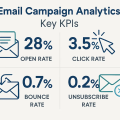
Typical open rates sit in the 20–40% band and click rates in the single digits; results vary by industry and list quality. If your recovery is low after four weeks, check deliverability (authentication and complaint rates), subject lines, CTA clarity, and checkout friction.
Always measure recovery rate (orders recovered ÷ abandoned carts) and revenue per recipient, and run a small holdout test to confirm that the flow drives incremental sales.
Playbook: browse abandonment & product reminders
Browse abandonment happens when someone looks at a product or a category page and leaves without adding anything to the cart. For email retargeting you need the person’s email first — if you don’t have it, use paid retargeting instead.
Trigger the flow when a product or category page is viewed and there is no add-to-cart or purchase in the same session; a practical rule is to mark the session as “abandoned” after 30–120 minutes of inactivity or at session end, then send the follow-up sequence described below.
Suggested sequence
- Email 1 — 6–12 hours after the view: a short, helpful reminder that shows the product image, one clear benefit, the price, and a single link back to the product page. Keep it simple and useful so the recipient can decide quickly.
- Email 2 — 48–72 hours after the view: a follow-up with related items or alternatives, plus a brief element of social proof (short customer line or rating). If the person still shows no interest, stop or move them to a low-frequency nurture list.
Show closely related items or items in the same price range, not a long list. If a visitor viewed the same item multiple times, spent a long time on the page, or returned to the site, that is a stronger signal of intent — then you can surface urgency (limited stock) or a small incentive.
For a single quick view, avoid pressure tactics; instead explain a useful fact about the product (fit, materials, or a short testimonial) so the message feels helpful, not pushy.
Sample language blocks and CTAs you can use:
- Subject (Email 1): “More details on [Product name]”
Body snippet: “Hi [First name], you checked the [Product name] earlier. Here are the key details and a quick size guide. [View product]” - Subject (Email 2): “[Product name] — other shoppers liked these”
Body snippet: “We thought you might like these similar items — same style, different price points. [See similar items]”
Recommended CTAs: “View product”, “See similar items”, “Save for later”.
Playbook: lead nurture & B2B retargeting
Start the flow when a clear intent signal arrives in the CRM. The goal is to convert interest into a qualified meeting and hand ready leads to sales quickly and cleanly.
Trigger points — demo requests, visits to the pricing or features page, and gated content downloads (whitepaper, buyer’s guide). For example, when a prospect downloads a product brief and provides an email, tag that contact as a high-intent lead and start the nurture sequence immediately.
Sequence
Send an immediate confirmation message that thanks the prospect, restates the next step, and gives a clear contact option. Follow with a 24–48 hour value message that delivers useful content: a short ROI note, a brief how-to video, or top benefits tied to the prospect’s page visit.
One week later send a concise case study that mirrors the prospect’s industry or problem and ends with a clear CTA to schedule a call. Finish with a direct follow-up that asks for a meeting and offers available times or a simple link to book.
Hand-off rules to sales
Push demo and pricing leads to SDRs instantly with contact info, recent activity, and suggested next action. Set SLAs that match intent: require first outreach within one business hour for demo or pricing requests and within 24 hours for gated-content leads.
Trigger an internal alert (CRM task plus team notification) that includes the lead’s page views, form data, and the recommended script or value angle.
Measurement
Track MQL→SQL conversion rate and median time-to-contact. Define MQL→SQL conversion as the number of marketing-qualified leads that become sales-qualified leads divided by total MQLs in the period.
Time-to-contact is the elapsed time from lead capture to first sales outreach; shorter times usually improve conversion. Report both metrics weekly and run small experiments that shorten response time to see the impact on conversion.
Segmentation tiers
- High-intent: users who viewed a product page, added to cart, or visited pricing in the last 24–72 hours. Treat them as ready to act.
- Medium-intent: people who engaged with content (downloaded a guide, opened product emails) or visited multiple pages over a few visits. They need more information and reassurance.
- Low-intent: casual subscribers or site visitors with infrequent engagement. Keep contact light and useful.
- High-LTV / VIP: repeat buyers or accounts with high historical spend. These contacts respond to exclusive offers and higher-touch service.
Match what you personalize to each tier. For high-intent contacts, include the exact product, price, cart total, and a direct checkout link. If someone viewed a specific jacket twice in two days, name the jacket, show the image, and make the CTA a one-click return to cart.
Decide when dynamic content is worth the extra work. Dynamic blocks add complexity: you need reliable signals, content variants, and testing. Use them when your volumes justify it (large lists or frequent sends), when a segment produces meaningful revenue, or when you can automate content safely.
Choose a short set of data signals to power personalization. Start with:
- recency (last visit or purchase);
- frequency (how often they engage);
- monetary (how much they spend).
Add product affinity (pages viewed, categories liked), recent behavior (cart add, demo request), and engagement history (opens, clicks).
Use these signals together: a contact who viewed a product in the last 24 hours (recency) and has viewed similar items three times this month (frequency, affinity) should get a different message than someone who opened one newsletter six months ago.
FAQ
What is email retargeting and when should I use it?
Email retargeting sends targeted follow-ups to people who already showed intent (viewed a product, started checkout, or filled a form). Use it when you have the contact and a recent action that signals interest. Action: start with an abandoned-cart flow for known emails; tag the trigger event and record consent.
Do I need consent to send retargeting emails?
Yes. Keep a clear consent flag and respect unsubscribe choices. Without valid consent you risk complaints and deliverability problems. Action: add a consent field in the CRM, enforce suppression lists, and log timestamp + source for each opt-in.
How fast should I follow up after a browse or cart event?
Speed matters. For cart abandonment, send a reminder about one hour after the event, a second message around 24 hours, and a final note at about 72 hours. For simple browse views, start later (6–12 hours) and follow up at 48–72 hours. Action: implement automated triggers for these windows and monitor immediate open/click rates.
Which metrics prove the flow works?
Track recovery rate (orders recovered ÷ abandoned carts), revenue per recipient, open and click rates, and any change in CAC. Use a control group to measure incremental lift. Action: build a dashboard with these KPIs and run a small holdout test to compare results.
How much personalization do I need?
Personalize by intent: include product name, image, and cart total for high-intent contacts; use category suggestions for medium-intent lists; keep low-intent messaging broad. Action: implement product-level personalization for the highest-intent flows first, then expand if it improves revenue per recipient.
Should I pause ads for people who just got an email?
Yes — coordinate channels to avoid annoying the same person with duplicate outreach. Suppress ad targeting for contacts who recently received an email for a sensible window (48–72 hours), then reintroduce ads if email didn’t convert. Action: create a suppression rule between email lists and ad audiences and test match rates.
How do I prove email retargeting brings incremental revenue?
Use a randomized holdout: exclude a small percentage of eligible contacts from the flow, run the email program as usual, and compare conversions over a fixed period. Action: allocate a 5–15% holdout, run for 4–6 weeks, and compare recovery rate and revenue per recipient between groups.
It's time to try LetsExtract (it's free)
 Click here to download the LetsExtract Email Studio
The trial version will allow you to create a contact list, check email addresses and start mailing.